How to Use Instagram Post Templates to Create Stunning Content in Minutes (2025 Guide)
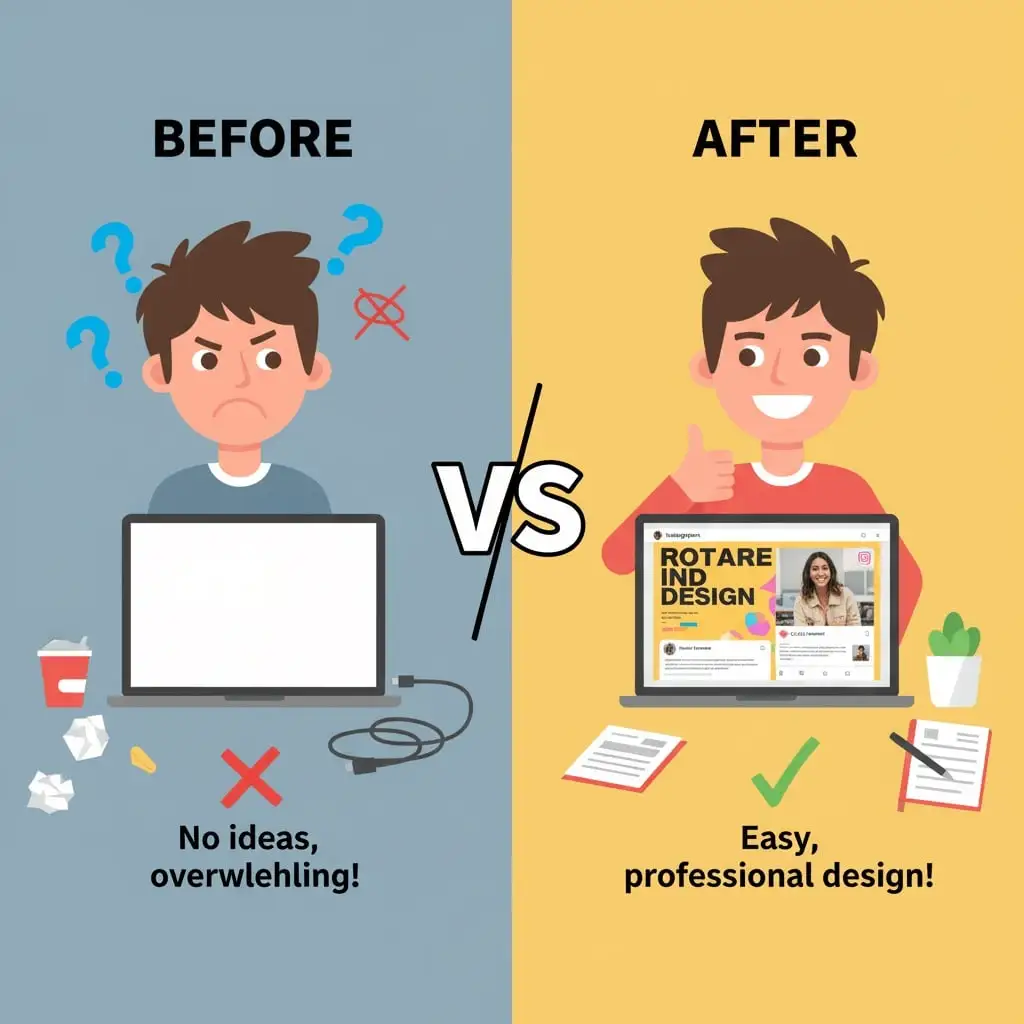
Let’s be honest: creating fresh Instagram content every single day can feel like running on a hamster wheel. You’re juggling captions, hashtags, scheduling, and on top of all that, you need eye-catching visuals that stop people mid-scroll. If you’ve ever spent two hours tweaking a single post design, only to get lukewarm engagement, you’re not alone.
Here’s the game-changer: Instagram post templates. These pre-designed layouts are transforming how creators, entrepreneurs, and businesses approach social media content. Instead of starting from a blank canvas every time, you’re working with professional designs that you can customize in minutes. The result? Consistent, stunning posts that look like you hired a design team, without the price tag or time investment.
In this comprehensive guide, you’ll discover exactly how to leverage Instagram post templates to slash your content creation time while boosting the quality of your posts. Whether you’re a complete beginner or looking to streamline your existing workflow, these strategies will help you create scroll-stopping content faster than ever before.
Table of Contents
What Are Instagram Post Templates and Why Do They Matter?
Instagram post templates are pre-designed graphic layouts created specifically for Instagram’s dimensions and best practices. Think of them as blueprints for your content. They come with placeholder text, images, colors, and design elements already arranged in visually appealing ways.
Instead of agonizing over where to place your text or which fonts pair well together, templates provide you with a proven framework. You simply swap out the placeholder content with your own brand elements, photos, and messaging. It’s like having a professional designer create the foundation while you add the personal touches that make it uniquely yours.
The beauty of templates lies in their versatility. Whether you’re promoting a product, sharing a motivational quote, announcing a sale, or educating your audience, there’s a template designed specifically for that purpose. This means you’re not just saving time; you’re using designs that have been optimized for engagement based on what actually works on Instagram.
The Real Benefits That Will Transform Your Instagram Strategy
Time Savings That Actually Make a Difference
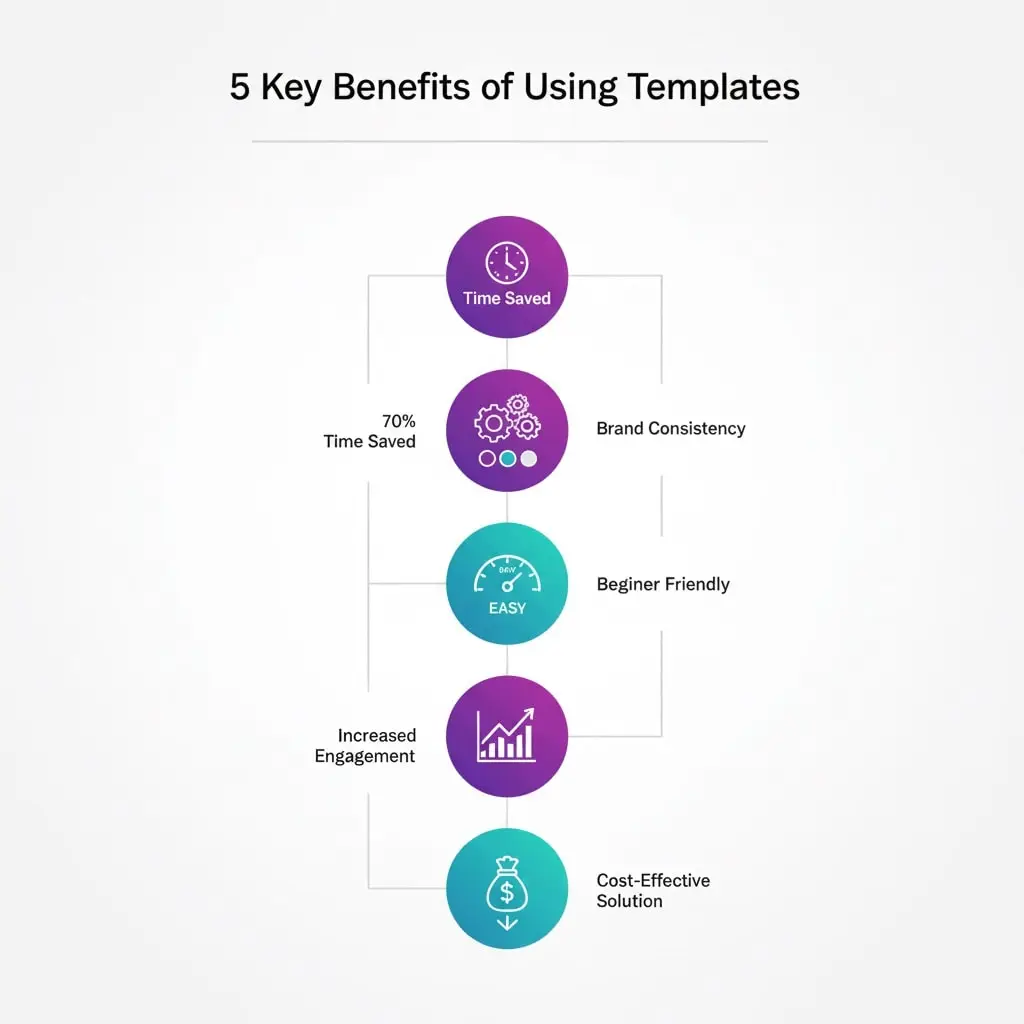
Here’s a reality check: the average person spends 45 to 90 minutes creating a single Instagram post from scratch. Multiply that by 5 to 7 posts per week, and you’re looking at 5 to 10 hours every week just on design work. That’s an entire workday consumed by something that could be done in a fraction of the time.
With templates, you can reduce that time to 5 to 10 minutes per post. That’s not an exaggeration. Once you have your template library set up and know your way around basic customization, you’ll be amazed at how quickly you can produce professional content. The time you save can be redirected to strategy, engagement with your community, or actually running your business.
Brand Consistency Without the Guesswork
One of the biggest challenges for growing Instagram accounts is maintaining a cohesive visual identity. When every post looks dramatically different because you’re experimenting with new designs each time, your feed becomes chaotic. Followers scroll past without recognizing your content instantly.
Templates solve this by establishing repeatable design patterns. When you use the same template structure with consistent colors, fonts, and styling, your content becomes instantly recognizable. People start to associate that visual style with your brand. This recognition builds trust and makes your content stand out in crowded feeds.
Professional Quality, Zero Design Experience Required
Not everyone is a graphic designer, and that’s perfectly fine. Templates are created by professional designers who understand visual hierarchy, color theory, typography, and composition. When you use their work as your foundation, you’re tapping into that expertise without needing years of design training.
The platforms that offer these templates have made customization incredibly intuitive. Drag-and-drop interfaces mean you can change images, adjust text, and modify colors with simple clicks. If you can use basic computer software, you can customize Instagram templates like a pro.
Engagement Rates That Prove It Works
Let’s talk results. Posts with high-quality, professional visuals receive significantly higher engagement than amateur-looking content. While content quality and captions matter enormously, the visual is what stops someone from scrolling. Templates help you create those scroll-stopping visuals consistently.
When your posts look polished and intentional, people perceive your brand as more credible and trustworthy. This perception translates into more likes, comments, saves, and most importantly, actions like website clicks and purchases.
Your Step-by-Step Blueprint for Using Instagram Post Templates
Step 1: Choose Your Template Platform Wisely
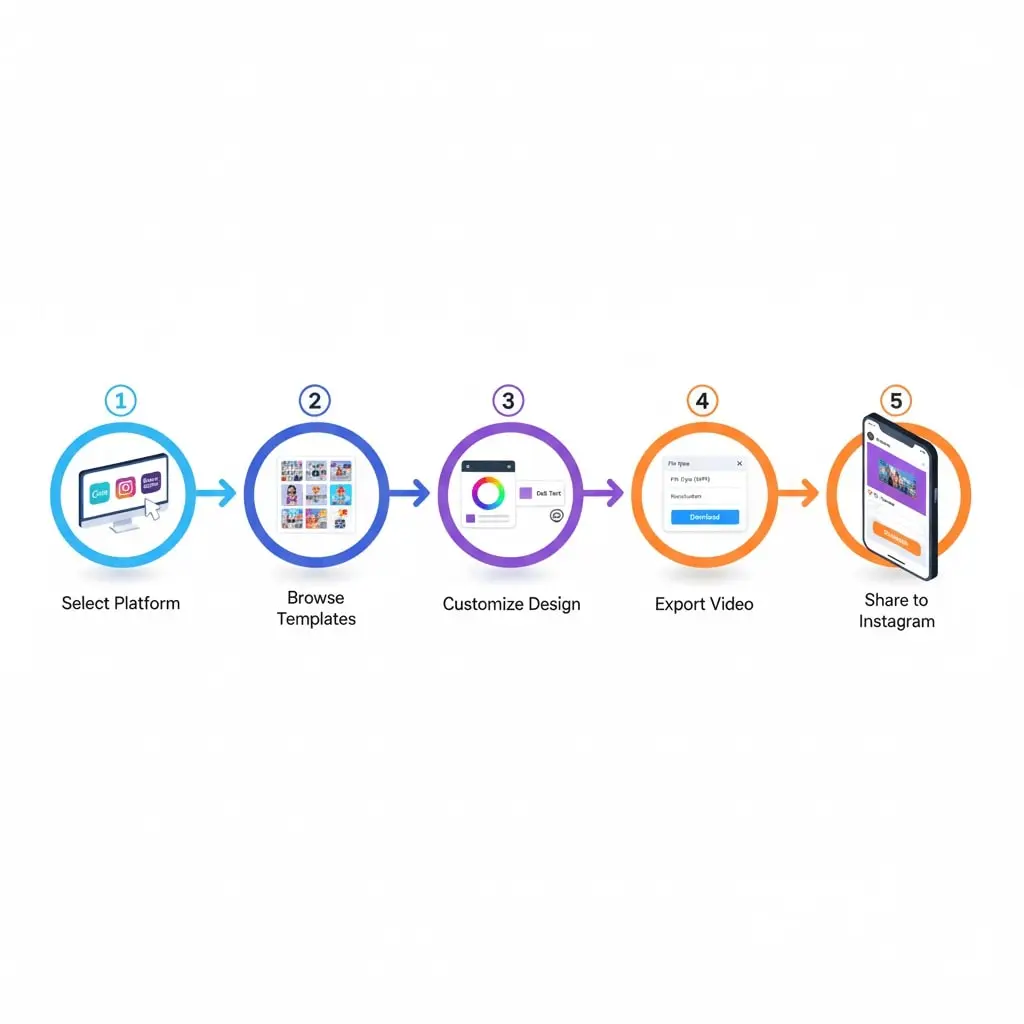
The foundation of your template workflow starts with selecting the right platform. While there are dozens of options available, a few stand out for their combination of quality, ease of use, and template variety.
Canva has become the go-to choice for most Instagram creators, and for good reason. With over 250,000 templates specifically designed for social media, you’ll find options for virtually any content type or niche. The free version offers substantial functionality, while Canva Pro unlocks additional features like brand kits, background removers, and premium templates. The mobile app is surprisingly powerful, letting you create and edit on the go.
Adobe Express (formerly Adobe Spark) brings Adobe’s design heritage to an accessible platform. If you’re looking for templates with a more sophisticated, professional aesthetic, this is worth exploring. The integration with other Adobe products is seamless if you’re already in that ecosystem.
Creative Market and Etsy take a different approach. These are marketplaces where independent designers sell template bundles. You’ll find highly specialized, niche-specific templates here that you won’t see on the major platforms. The advantage is uniqueness; the trade-off is that you’ll need to buy individual packs rather than access everything via subscription.
For beginners, Canva’s free version is the perfect starting point. As your needs grow, you can explore other platforms or invest in premium options.
Step 2: Select Templates That Align With Your Content Strategy
Not all templates are created equal, and not every template will serve your specific needs. Before diving into the vast ocean of options, get clear on your content pillars. What types of posts will you be creating regularly?
If you’re a fitness coach, you’ll want templates for workout tips, transformation stories, motivational quotes, and client testimonials. An e-commerce brand needs product showcases, promotional announcements, customer reviews, and behind-the-scenes content. A consultant might focus on educational carousels, statistics, quick tips, and service offerings.
Once you know your content categories, search for templates specifically designed for those purposes. Pay attention to the layout structure. Quote templates typically feature large, readable text with minimal imagery. Product templates prioritize the product photo with supporting text elements. Educational carousels use numbered slides or clear progression indicators.
Dimension matters more than many people realize. Instagram supports square posts (1080 x 1080 pixels), vertical posts (1080 x 1350 pixels), and horizontal posts (1080 x 566 pixels). While square posts are most common, vertical posts take up more screen real estate in the feed, making them harder to scroll past. Choose dimensions strategically based on your content and goals.
Step 3: Customize Templates to Match Your Brand Identity
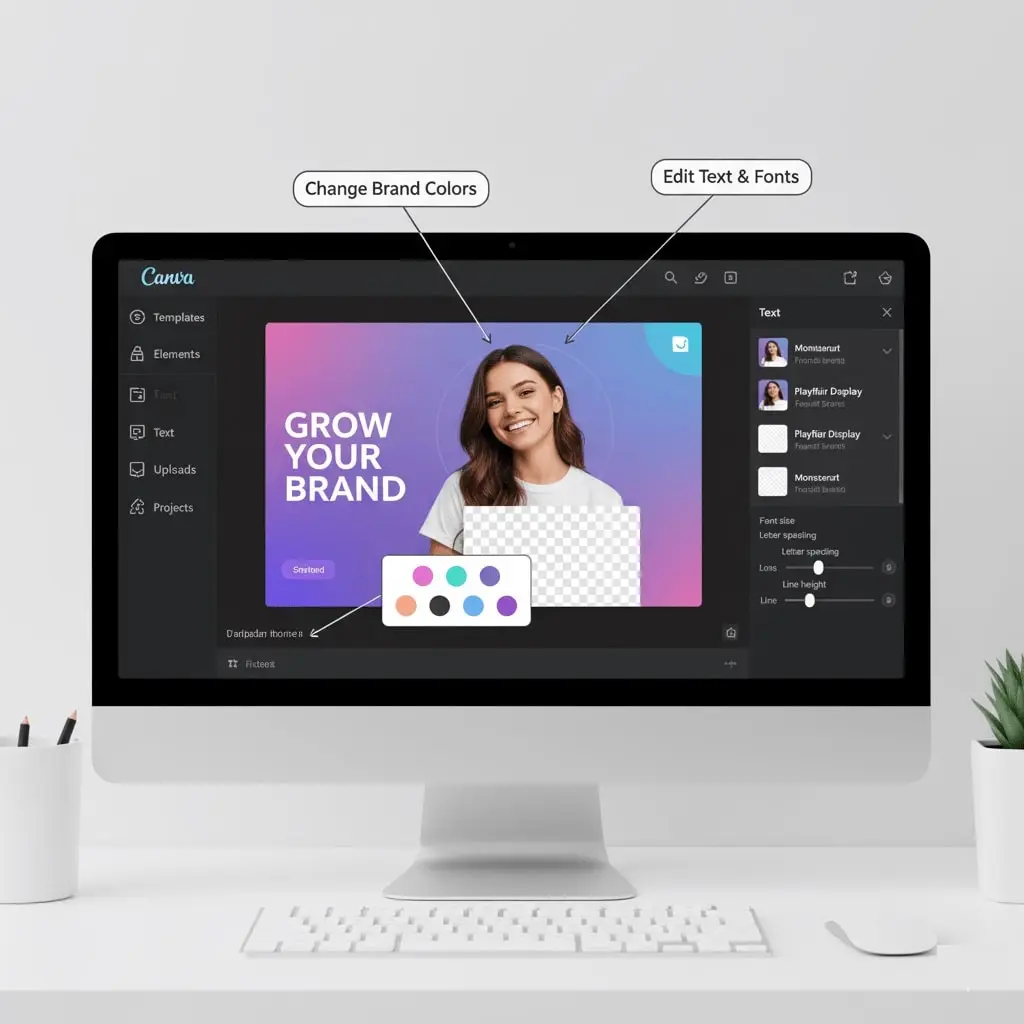
Here’s where the magic happens. A template is just the starting point; customization is what makes it yours. The goal isn’t to completely redesign the template—that defeats the time-saving purpose—but to inject your brand personality into the existing structure.
Colors are your first priority. If you have established brand colors, replace the template’s color scheme with your own. This single change instantly makes the template feel branded to you. Most platforms let you save color palettes, making this process even faster for future posts. If you don’t have brand colors yet, choose a palette of 3 to 5 colors that represent your vibe and stick with them consistently.
Typography should be adjusted carefully. The fonts chosen by template designers usually work well together, so you might only need to change one or two to match your brand fonts. Be cautious about using too many different fonts; two to three font families maximum keeps things professional. Make sure your chosen fonts are readable on mobile devices, where the majority of your audience will see them.
Images transform a generic template into your unique content. Replace placeholder images with your own photos, product shots, or brand imagery. Quality matters tremendously here. Blurry, pixelated, or poorly lit photos will undermine even the best template design. If you don’t have professional photography, stock photo sites like Unsplash or Pexels offer high-quality free images.
Text content should be concise and purposeful. Templates often include placeholder text that shows you roughly how much copy works in that design. Resist the urge to cram in more text than the layout can handle. If you need to say more, that’s what captions are for. Your post visual should convey the core message at a glance.
Logo placement adds that final branding touch. Include your logo subtly, typically in a corner or along an edge. It shouldn’t dominate the design, but it should be present enough that someone could identify your content even if they saw it shared out of context.
Step 4: Optimize for Instagram’s Platform Requirements
Creating beautiful designs means nothing if they don’t display properly on Instagram. Before you hit that export button, verify a few technical details that make the difference between amateur and professional results.
Resolution should always be high enough to look crisp on modern smartphone screens. Instagram recommends 1080 pixels for the width, regardless of which aspect ratio you’re using. Lower resolutions will appear fuzzy or pixelated, immediately signaling low-quality content to your audience.
File format matters for both quality and file size. PNG files maintain the highest quality, especially for designs with text and graphics, but they create larger file sizes. JPEG offers a good balance of quality and compression for photo-heavy posts. Instagram’s maximum file size is 8MB, so if your file exceeds that, you’ll need to compress it. Most template platforms handle this automatically when you export specifically for Instagram.
Mobile preview is non-negotiable. Always, always, always check how your design looks on a mobile screen before posting. What looks perfect on your computer monitor might have tiny, unreadable text on a phone. Most design platforms offer mobile preview features. Use them religiously.
Accessibility considerations might seem optional but they’re increasingly important. Ensure there’s sufficient contrast between text and background colors so everyone can read your content easily. Avoid relying solely on color to convey information. When you post, write descriptive alt text for screen readers. These small efforts make your content inclusive and expand your potential audience.
Step 5: Build Systems for Consistent Output
The true power of templates emerges when you create systems around them. Random, one-off template usage saves some time, but building a repeatable process multiplies that efficiency exponentially.
Batch creation is the productivity hack that will change your Instagram game. Instead of creating one post at a time as needed, dedicate a 2 to 3 hour block once per week or month to create multiple posts. When you’re in the creative flow with your templates open and your brain in design mode, producing 10 to 20 posts becomes surprisingly effortless. This approach also helps you maintain better content variety and balance.
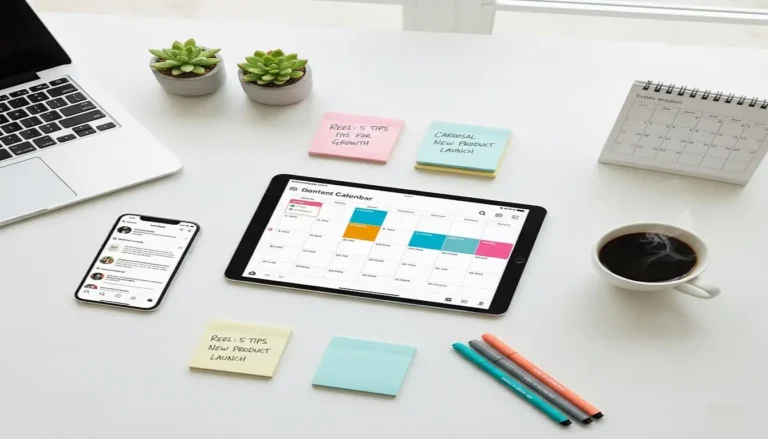
Content calendar integration keeps you organized and consistent. As you create batched content, slot each post into your calendar based on your posting schedule and content strategy. Tools like Later, Planoly, Buffer, or Hootsuite let you upload posts and schedule them in advance. The visual calendar view helps you see how your feed will look, allowing you to adjust the order for aesthetic flow.
Template library organization prevents wasted time searching for the right design. Create folders or collections within your design platform organized by content type: Quotes, Products, Announcements, Tips, Behind-the-Scenes, etc. When you need to create a quote post, you know exactly where to find your quote templates. Some creators even create a naming convention that makes templates searchable.
Performance tracking tells you which templates actually work. Instagram Insights shows you which posts get the most reach, engagement, saves, and shares. Notice patterns. Do your carousel templates outperform single-image posts? Do certain color schemes or styles resonate more? Double down on what works and phase out what doesn’t.
Essential Template Types Every Instagram Account Needs
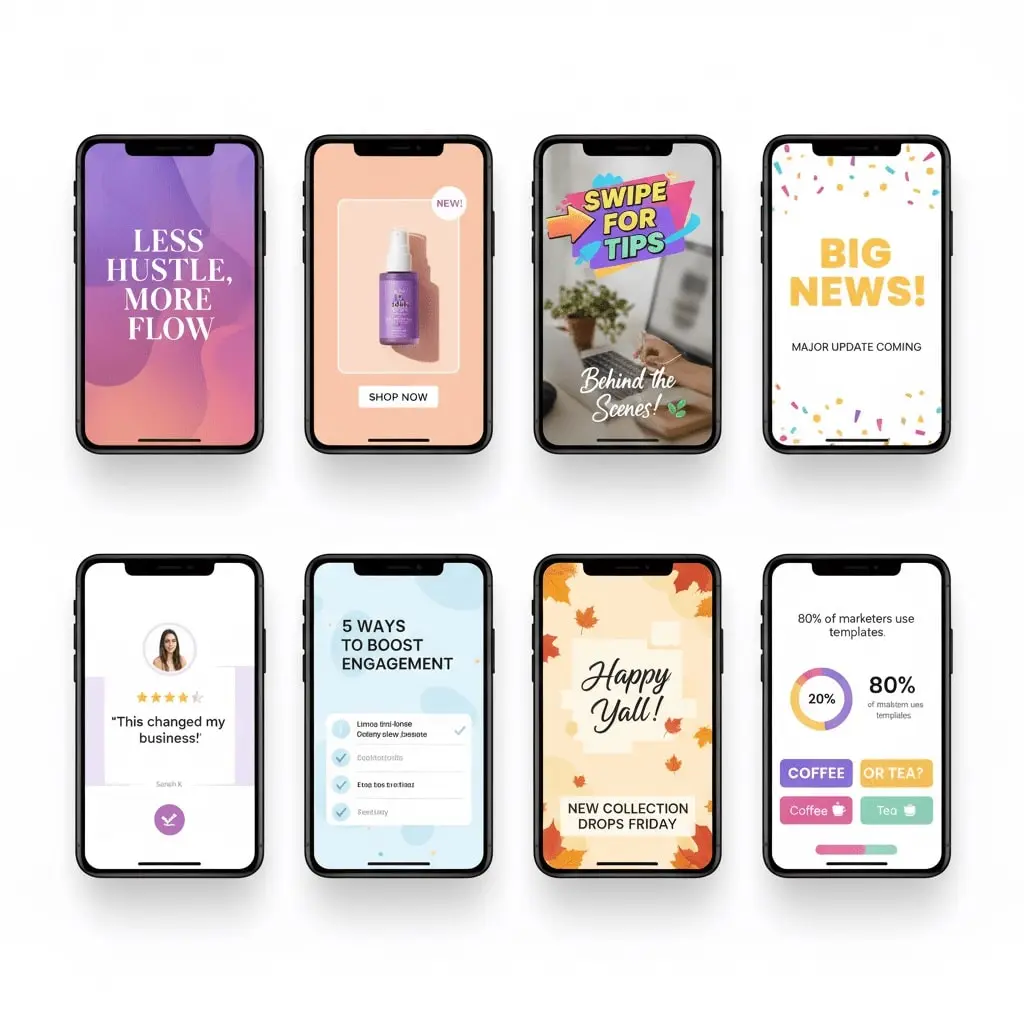
Building a versatile template library means having the right design for every content situation. Here are the must-have template categories that will cover 90% of your posting needs.
Educational carousel templates have become Instagram’s secret weapon for growth. These multi-slide posts allow you to dive deep into topics, providing genuine value that encourages saves and shares. Look for carousel templates with clear slide progression, numbered pages, and consistent design elements that create cohesion across slides. The first slide should hook attention with a compelling title or question, while subsequent slides deliver on that promise.
Quote templates remain engagement powerhouses when done right. The key is avoiding the generic, Pinterest-style quote graphics that flood Instagram. Look for modern, minimalist quote templates with interesting typography and subtle design elements. The quote text should be the star, but small touches like geometric shapes, textured backgrounds, or artistic flourishes elevate the design beyond basic.
Product showcase templates are essential for any business selling physical or digital products. These templates should put your product front and center while including space for key details like pricing, features, or benefits. Multiple product layouts let you showcase product variations or bundle offerings in a single post. Before-and-after layouts work brilliantly for products with visible results.
Announcement templates demand attention through bold design choices. Whether you’re launching a new product, hosting an event, or running a promotion, announcement templates typically use bright colors, large text, and high-contrast elements that stand out in busy feeds. They should communicate the key information at a glance: what, when, and why someone should care.
Behind-the-scenes templates build authentic connections with your audience. These designs often have a more casual, candid aesthetic compared to polished promotional templates. Polaroid-style frames, scrapbook layouts, or simple photo grids work well for sharing glimpses into your process, team, or daily operations.
Testimonial and review templates leverage social proof to build credibility. These should make it crystal clear that real customers are sharing genuine experiences. Design elements like quotation marks, star ratings, and customer photos (with permission) reinforce authenticity. The design should be clean enough that the testimonial text is easily readable.
Tip or how-to templates position you as a helpful expert in your field. Numbered or bulleted layouts work well for quick tips. For more detailed how-to content, carousel templates with step-by-step progression keep information organized and digestible. Icons or illustrations can enhance understanding and add visual interest.
Avoiding Common Template Mistakes That Tank Engagement
Even with great templates, certain mistakes can undermine your results. Being aware of these pitfalls helps you avoid them from the start.
Cookie-cutter syndrome happens when you use popular templates without meaningful customization. If your posts look identical to dozens of other accounts using the same templates, you’re not building a distinctive brand presence. Always customize colors, fonts, and add unique elements that reflect your personality or brand voice.
Text overload is the fastest way to create posts people scroll past. Templates have limited space for good reason. Trying to squeeze paragraphs of text into a visual design makes it unreadable and overwhelming. If you have a lot to say, use the caption. Your post design should communicate one clear message or idea.
Inconsistent branding across your template usage creates a disjointed, unprofessional feed. If every post uses different colors, fonts, and styles, you’re essentially starting from scratch with brand recognition each time. Choose a cohesive set of templates that work together visually, creating a consistent aesthetic across your entire feed.
Ignoring aspect ratios leads to awkward crops or distorted images when Instagram displays your post. Always use templates designed specifically for Instagram’s supported dimensions. If you’re repurposing content from other platforms, resize and reformat it properly rather than just uploading incompatible dimensions.
Forgetting mobile optimization is a critical oversight since over 98% of Instagram users access the platform on mobile devices. Text that’s readable on your desktop monitor might be impossibly small on a phone. Always preview your designs on an actual mobile device or use your design platform’s mobile preview feature before publishing.
Where to Find Premium Instagram Post Templates
While free templates are abundant, investing in premium templates can differentiate your content and provide more sophisticated designs.
Canva Pro offers the most comprehensive value if you’re creating high volumes of content. For around $13 per month, you get access to hundreds of thousands of premium templates, a brand kit feature that saves all your colors and fonts, background remover tool, and the ability to resize designs instantly for different platforms. The content planner feature lets you schedule directly to Instagram.
Creative Market curates independent designers selling unique template bundles. You’ll find highly specialized sets here, like “Instagram Templates for Life Coaches” or “Minimalist Product Templates for E-commerce.” Prices typically range from $12 to $50 per bundle. You own the templates outright after purchase, with no ongoing subscription.
Etsy has become a surprising hub for Instagram templates, with thousands of sellers offering niche-specific design packs. The advantage is affordability—many bundles cost $5 to $20—and instant download delivery. Quality varies significantly, so check reviews and preview images carefully before purchasing.
Envato Elements provides unlimited downloads of templates, graphics, photos, and more for $16.50 per month. If you’re creating content across multiple platforms or need diverse design assets, this subscription offers incredible value. The Instagram template selection is extensive and professional quality.
Your Action Plan for Template Success
Ready to revolutionize your Instagram content creation? Here’s your practical next steps:
Start by signing up for Canva’s free account if you haven’t already. Spend 30 minutes browsing Instagram templates to get a feel for what’s available. Identify 3 to 5 templates that align with your content needs and save them to a collection.
Create your first post using one of these templates. Focus on customization: change the colors to match your brand, replace the image with your own photo, and update the text with your message. Export it optimized for Instagram.
Before posting, get feedback. Show your design to a friend or colleague on a mobile device. Is the text readable? Does it capture attention? Does it feel like your brand? Make adjustments based on honest feedback.
Schedule this post and commit to creating one template-based post per day for the next week. You’ll quickly develop comfort with the customization process and start to see patterns in what works for your audience.
After two weeks, analyze your results. Which template-based posts got the most engagement? What commonalities do they share? Use these insights to guide your future template choices and customization decisions.
Final Thoughts: Templates Are Tools, Not Shortcuts
Instagram post templates aren’t about taking the easy way out or cutting corners. They’re professional tools that help you work smarter, not harder. The most successful Instagram accounts aren’t necessarily run by people with unlimited time or massive budgets. They’re run by people who’ve built efficient systems that allow them to show up consistently with quality content.
Templates give you that system. They eliminate the blank canvas paralysis that keeps many creators stuck. They provide proven frameworks that guide your creativity rather than restricting it. Most importantly, they give you back your time—time you can invest in creating meaningful connections with your audience, developing your business, or simply avoiding burnout.
The Instagram landscape continues to evolve, with new features and format options emerging regularly. But the fundamental truth remains: eye-catching, professionally designed content will always have an advantage in capturing attention and building engaged communities. Templates put that professional quality within everyone’s reach.
Start small, experiment freely, and pay attention to what resonates with your specific audience. Your perfect template workflow might look different from someone else’s, and that’s exactly as it should be. The goal isn’t perfection; it’s consistency, quality, and sustainability in your content creation process.
Your audience is waiting for your unique perspective, expertise, and personality. Don’t let design challenges keep you from sharing it. With the right templates and the strategies outlined in this guide, you have everything you need to create stunning Instagram content in minutes, not hours. Now it’s time to put it into action.