15 Ways to Increase Instagram Engagement Rate in 2025
Your Instagram engagement rate is dropping. You’re posting consistently, using hashtags, and creating content—but your likes, comments, and shares are nowhere near where they used to be.
You’re not alone. With Instagram’s algorithm changes in 2025 and over 2 billion active users competing for attention, the average engagement rate has dropped to just 0.7% for accounts with over 100,000 followers.
But here’s the good news: businesses and creators who understand the new Instagram landscape are seeing engagement rates of 3-6% or higher. The difference? They’re using specific, proven strategies that work with Instagram’s current algorithm, not against it.
In this comprehensive guide, you’ll discover 15 actionable ways to increase your Instagram engagement rate in 2025. These aren’t generic tips—they’re data-backed strategies that real brands are using right now to boost their reach, build community, and drive results.
Table of Contents
What Is Instagram Engagement Rate and Why Does It Matter?
Before we jump into the strategies, let’s clarify what we’re measuring.
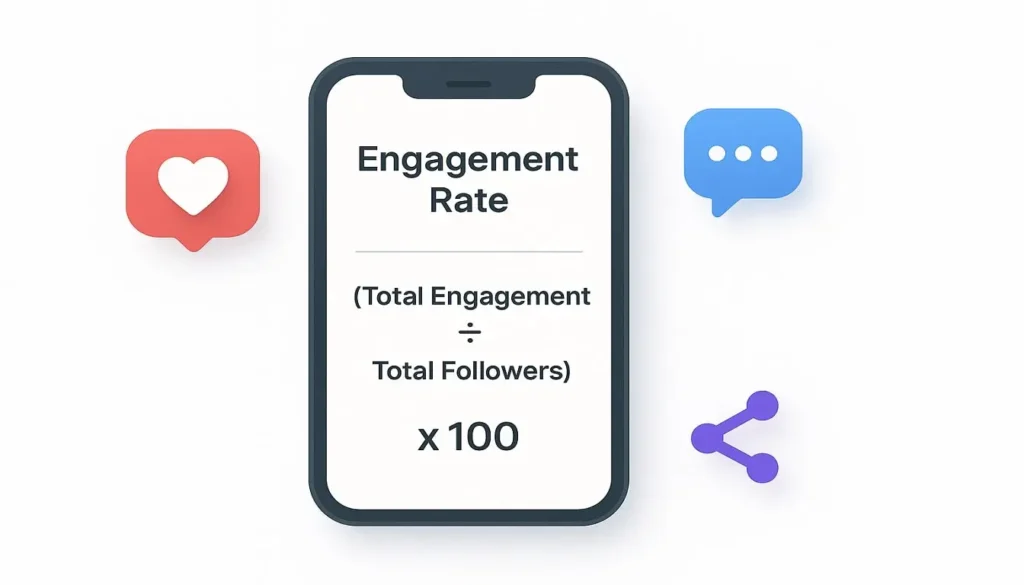
Instagram engagement rate is the percentage of your audience that actively interacts with your content through likes, comments, shares, saves, and DMs. It’s calculated using this formula:
Engagement Rate = (Total Engagements ÷ Total Followers) × 100
For example, if you have 10,000 followers and get 500 total engagements (likes + comments + shares + saves) on a post, your engagement rate is 5%.
Why Engagement Rate Matters More Than Follower Count
Instagram’s algorithm in 2025 prioritizes content that generates meaningful interactions. Posts with high engagement rates get pushed to more users through:
- Explore page placement – Your content reaches new audiences
- Suggested posts – Non-followers see your content in their feed
- Higher visibility – Your followers actually see your posts (not hidden by the algorithm)
- Reels recommendations – Higher engagement = more viral potential
Beyond the algorithm, engagement rate is the truest measure of your influence. A creator with 5,000 engaged followers is more valuable to brands than someone with 50,000 disengaged ghost followers.
What’s a Good Instagram Engagement Rate in 2025?
Industry benchmarks vary by account size:
- Micro-influencers (1K-10K followers): 3-6% is good, 6%+ is excellent
- Mid-tier (10K-100K followers): 1.5-3% is solid
- Large accounts (100K-1M followers): 0.7-1.5% is average
- Mega-influencers (1M+ followers): 0.5-1% is typical
Now that you know what you’re aiming for, let’s explore how to get there.
1. Create Carousel Posts (They Get 3X More Engagement)
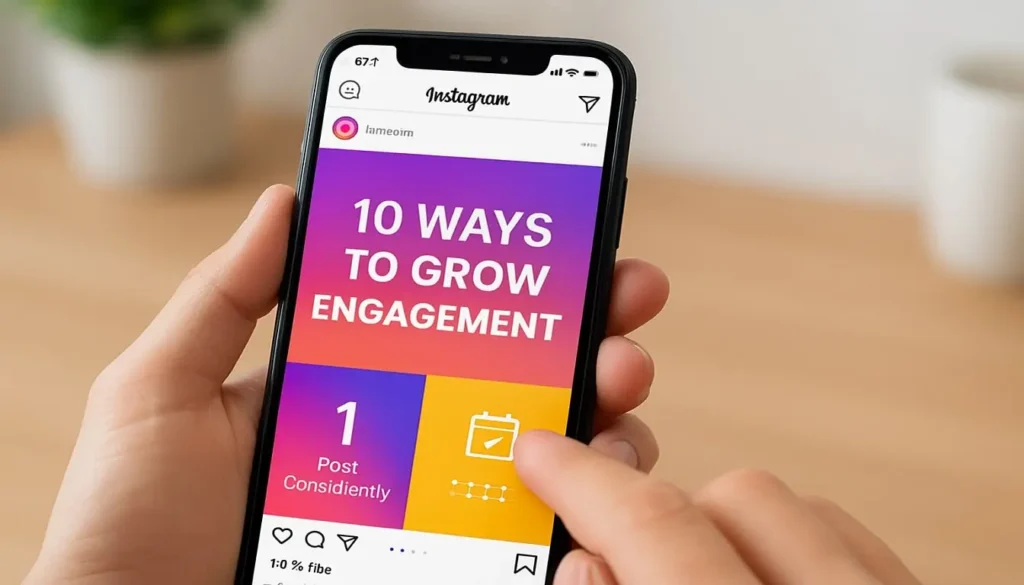
Carousel posts—those swipeable multi-image posts—are Instagram’s secret weapon in 2025. They consistently outperform single-image posts and even many Reels.
Why Carousels Work
Instagram’s algorithm loves carousels because they keep users on the platform longer. Each swipe is tracked as engagement, and users often revisit carousels multiple times, signaling to Instagram that your content is valuable.
Data shows carousel posts get up to 3.1 times more engagement than single-image posts and 1.4 times more reach than videos.
How to Create High-Engagement Carousels
Structure your carousels strategically:
- Slide 1: Eye-catching hook with a problem or question (“Struggling with engagement? Here’s why…”)
- Slides 2-8: Deliver value with tips, steps, or information
- Last slide: Strong CTA (call-to-action) asking for a comment, tag, or share
Best carousel topics:
- Educational tutorials (how-to guides)
- Before/after transformations
- Lists and tips (“10 ways to…”)
- Storytelling (customer success stories)
- Product showcases (different angles/features)
- Myth-busting (“5 Instagram myths debunked”)
Pro tip: Add a teaser on slide 1 like “Swipe to see #3—it changed everything” to boost swipe-through rates.
2. Post When Your Audience Is Actually Online
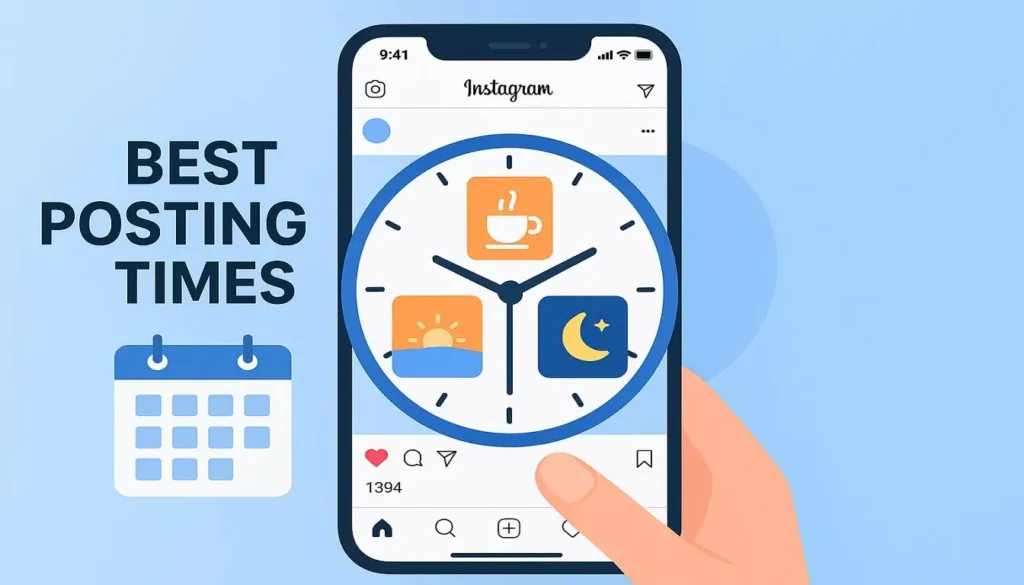
Posting at the right time can double your engagement rate. Instagram’s algorithm gives your content an initial test push—if it performs well in the first hour, it gets shown to more people.
Finding Your Optimal Posting Times
The generic “best times to post” advice is outdated. Your audience’s behavior is unique.
Here’s how to find YOUR best times:
- Check Instagram Insights: Go to your profile → Menu → Insights → Total followers → scroll to “Most active times”
- Look for patterns: Note when your followers are most active (displayed by day and hour)
- Test and track: Post at different times for 2-3 weeks and compare engagement rates
2025 General Posting Time Guidelines
Based on aggregate data across industries:
Weekdays:
- 6-9 AM: Early morning commute scrolling
- 12-2 PM: Lunch break browsing
- 7-9 PM: Evening wind-down time
Weekends:
- 9-11 AM: Leisurely morning scrolling
- 7-9 PM: Evening entertainment time
Industry-specific insights:
- B2B/Professional: Tuesday-Thursday, 8 AM – 2 PM
- Fashion/Lifestyle: Wednesday-Friday, 11 AM – 2 PM, 7-9 PM
- Food/Restaurant: 11 AM – 1 PM (lunch), 6-8 PM (dinner)
- Fitness: 6-8 AM, 5-7 PM (before/after work)
Remember: These are starting points. Your specific audience might behave differently.
3. Write Captions That Start Conversations
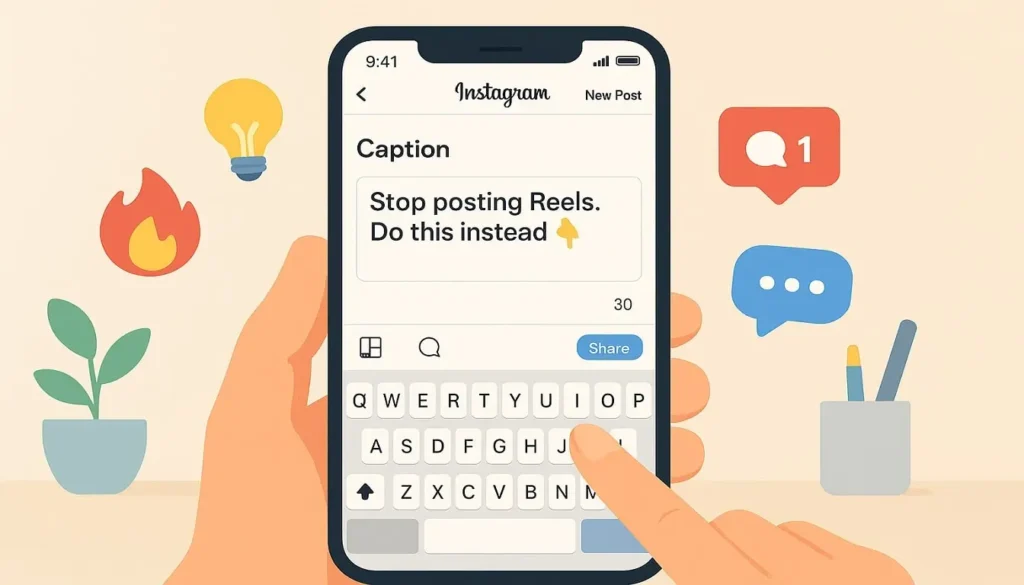
Your caption is where engagement happens—or dies. In 2025, Instagram’s algorithm specifically looks for comments and meaningful interactions, not just likes.
The Psychology of Engaging Captions
People comment when they:
- Feel spoken to directly
- Have something to add or share
- Want to answer a question
- Disagree (respectfully)
- Feel emotionally connected
Caption Formula for Maximum Engagement
Line 1-2: Hook them immediately (this shows in feed before “…more”)
- Use curiosity: “The Instagram algorithm changed yesterday, and nobody noticed…”
- Ask a question: “What if I told you that hashtags are dead?”
- Make a bold statement: “Stop posting Reels. Do this instead.”
Middle section: Deliver value, tell a story, or share insights
- Be conversational and authentic
- Break text into short paragraphs (2-3 lines max)
- Use emojis strategically for visual breaks
Ending: Strong call-to-action
- Ask a specific question: “Which tip will you try first? Comment 1, 2, or 3 below”
- Request opinions: “Hot take or hard truth? Let me know in the comments”
- Encourage tags: “Tag someone who needs to see this”
- Start debates: “Team X or Team Y? Defend your answer 👇”
Engagement-Boosting Caption Tricks
- Use “Comment X if…” – Makes commenting easy and creates social proof when others see multiple similar comments
- Ask either/or questions – “Coffee or tea?” is easier to answer than “What’s your favorite drink?”
- Create fill-in-the-blanks – “My secret to productivity is _____”
- Share vulnerable moments – Authentic struggles create connection
- End with “GO” or “👇” – Visual cues direct people to comment section
What NOT to do:
- ❌ Generic CTAs like “double-tap if you agree”
- ❌ Asking for engagement directly (“like and comment!”)
- ❌ Super long captions with no line breaks (hard to read)
- ❌ Ignoring comments (kills future engagement)
4. Leverage Instagram Stories (Post 3-7 Daily)
Stories might seem less important than feed posts, but they’re crucial for engagement in 2025. Accounts that post regular Stories see 15-25% higher engagement on their feed posts.
Why Stories Boost Overall Engagement
Stories keep your brand top-of-mind. When followers regularly see your Stories, Instagram’s algorithm assumes they’re interested and shows them more of your feed content.
High-Engagement Story Strategies
Interactive stickers are your best friend:
- Poll stickers: Ask either/or questions (“Which product should I launch next?”)
- Question stickers: Collect feedback, ideas, or testimonials
- Quiz stickers: Test knowledge or create fun personality quizzes
- Slider stickers: Get opinions on a scale (“How excited are you for this launch?”)
- Countdown stickers: Build anticipation for events or product drops
Story content that drives engagement:
- Behind-the-scenes footage (humanizes your brand)
- User-generated content (reshare customer posts with credit)
- Quick tips and hacks (swipeable carousel Stories)
- “This or that” polls (simple decision-making)
- Day-in-the-life content (authentic connection)
- Product teasers and sneak peeks
- Q&A sessions (answer follower questions)
Pro posting schedule:
- Minimum: 3-5 Stories per day
- Optimal: 7-10 Stories spread throughout the day (not all at once)
- Maximum: 15-20 Stories (more can be overwhelming)
Story Highlight strategy: Organize your best Stories into Highlights with branded covers. This gives new followers instant access to important content and extends Story lifespan beyond 24 hours.
5. Use Strategic Hashtags (Quality Over Quantity)
The hashtag game changed dramatically in 2025. Instagram’s algorithm now prioritizes content quality and relevance over hashtag stuffing.
The New Hashtag Rules for 2025
What changed:
- Instagram can now understand content without hashtags (AI-powered)
- Using 30 random hashtags actually hurts reach
- Small, engaged hashtag communities perform better than massive ones
- Hashtag engagement rate matters more than hashtag size
How to Choose High-Performing Hashtags
The 3-tier hashtag strategy:
Tier 1 – Niche hashtags (1K-50K posts):
- High engagement potential
- Less competition
- Targeted audience
- Example: #canvainstagramtemplates instead of #canva
Tier 2 – Mid-range hashtags (50K-500K posts):
- Moderate competition
- Good visibility potential
- Example: #instagramtips instead of #instagram
Tier 3 – Large hashtags (500K+ posts):
- High competition
- Brief visibility
- Use 1-2 maximum
- Example: #socialmediamarketing
Optimal hashtag formula for 2025:
- 3-5 niche hashtags (your best chance to rank)
- 3-5 mid-range hashtags (secondary visibility)
- 1-2 large hashtags (brand awareness)
- Total: 8-12 hashtags maximum
Finding Your Perfect Hashtags
Research method:
- Look at top posts in your niche
- Click on their hashtags
- Check “Top” posts for each hashtag
- If you see accounts similar to yours ranking, that’s a good hashtag
- Save winning hashtags in phone notes for easy access
Tools to help:
- Instagram’s hashtag suggestions (type # in caption)
- Display Purposes (free hashtag generator)
- Later (hashtag analytics)
- Your competitors’ posts (see what works for them)
Where to place hashtags:
- First comment (keeps caption clean) OR
- End of caption (either works in 2025)
- Avoid mid-caption placement (looks spammy)
6. Reply to Every Comment Within the First Hour
This simple tactic can dramatically boost your engagement rate, yet most creators ignore it.
Why the First Hour Matters
Instagram’s algorithm evaluates post performance in the first 60 minutes. Posts that generate quick engagement get pushed to more users. When you reply to comments:
- You double your comment count (your reply + their comment)
- You encourage others to join the conversation
- You signal to Instagram that your post is generating discussion
- You build community and loyalty
Smart Comment Responding Strategies
Do’s: ✅ Reply within 5-60 minutes of receiving the comment ✅ Ask follow-up questions to continue dialogue ✅ Use the person’s name if mentioned ✅ Add value—don’t just say “thanks!” ✅ Include relevant emojis to match tone ✅ Tag users when appropriate
Example of a low-effort reply: Comment: “Great tips!” Your reply: “Thanks! 😊”
Example of an engagement-boosting reply: Comment: “Great tips!” Your reply: “Thanks Sarah! Which tip are you going to implement first? I’d love to know! 💡”
Advanced technique – The conversation starter: When someone leaves a thoughtful comment, ask them a related question that others can answer too. This creates a comment thread that boosts your engagement metrics.
Handling Negative Comments
Don’t delete negative comments unless they’re abusive or spam. Responding professionally to criticism shows authenticity and can actually increase trust.
Template: “Thanks for the feedback! I can see where you’re coming from. [Address concern]. I’d love to hear more about your experience—DM me?”
7. Collaborate with Micro-Influencers and Creators
Collaborations expose your content to new audiences and Instagram’s algorithm loves cross-promotion through its Collab feature.
Why Collabs Work in 2025
When you use Instagram’s Collab feature (available on Feed posts and Reels), your content appears on BOTH accounts’ profiles and reaches both audiences. This:
- Doubles your potential reach
- Combines engagement from both audiences
- Signals to Instagram that multiple communities value your content
- Builds credibility through association
How to Find Collaboration Partners
Look for accounts that:
- Have similar follower counts (within 50% of yours)
- Share your target audience but aren’t direct competitors
- Have 2%+ engagement rates (quality over quantity)
- Post regularly and professionally
- Align with your brand values
Where to find collaborators:
- Comment sections of competitor posts
- Hashtags in your niche
- Instagram’s “Suggested for you” recommendations
- Industry-specific Facebook groups
- LinkedIn searches
- Collaboration platforms (e.g., AspireIQ, Influence.co)
Collaboration Ideas That Drive Engagement
- Instagram Live together: Go live with a partner to discuss a topic
- Collab posts: Create content together and post to both profiles
- Takeovers: Let another creator post Stories on your account (and vice versa)
- Challenge or contest: Create a branded challenge together
- Interview format: Feature each other in posts or Stories
- Product exchange: Review each other’s products or services
- Bundle giveaways: Combine audiences for a bigger prize
Outreach template: “Hi [Name]! I love your content on [specific topic]. I have a similar audience of [X] followers interested in [niche]. Would you be interested in collaborating on [specific idea]? I think our audiences would really benefit from [value proposition].”
8. Host Giveaways (But Do Them Right)
Giveaways can explode your engagement—or attract worthless bot followers. The key is structuring them strategically.
The Right Way to Run an Instagram Giveaway
What makes a giveaway successful:
- Prize is relevant to your niche (attracts right audience)
- Entry requirements encourage genuine engagement
- Rules comply with Instagram’s promotion guidelines
- Clear start and end dates
- Transparent winner selection process
High-Engagement Giveaway Entry Requirements
Instead of “follow and tag 3 friends” (attracts spam), try:
- “Comment your biggest challenge with [topic]” – Generates quality discussions
- “Share your story about [related topic]” – Creates meaningful engagement
- “Tag someone who would benefit from this” – Targets relevant audience
- “Save this post and share one tip from it” – Increases reach and saves (great for algorithm)
- “Answer this question in comments” – Creates conversation threads
Additional entries that work:
- Share to Stories (with branded tag)
- Follow 1-2 relevant accounts (you + 1 collaboration partner max)
- Visit website and complete action (join email list, take quiz)
Prize Selection Strategy
Bad prizes: Cash, gift cards, iPhones
- Attracts anyone, not your target audience
- High likelihood of fake accounts entering
- Winners rarely become customers
Good prizes: Your product, industry-relevant tools, exclusive experiences
- Attracts genuinely interested people
- Winners more likely to become loyal followers/customers
- Better long-term ROI
Example: If you sell Canva templates, prize could be:
- “Ultimate template bundle ($500 value)”
- “6-month design coaching + all templates”
- “Custom template design + 1-year access to library”
Giveaway Promotion Timeline
Week 1: Tease the giveaway (build anticipation) Launch day: Big announcement post + Stories During giveaway: Daily reminder Stories, engagement with entries Closing day: Last chance reminder Stories Winner announcement: Public announcement + Stories showing selection process
9. Create Shareable Content (Templates, Quotes, Memes)
Shares are the holy grail of engagement. When someone shares your post, it signals maximum value to Instagram’s algorithm.
Types of Highly Shareable Content
1. Fill-in-the-blank templates “My morning routine: [blank], [blank], [blank]” People love personalizing and sharing their versions
2. Relatable memes and humor Niche-specific memes that make your audience say “this is SO me” Don’t be cringe—stay authentic to your brand
3. Inspiring quotes (with a twist) Not generic motivation—specific, actionable insights related to your niche Add your own commentary to make it unique
4. Infographics and data visualizations Statistics, processes, comparisons presented beautifully Easy to digest = easy to share
5. Controversial (but not offensive) hot takes Opinions that make people think “FINALLY someone said it” Encourages debate and sharing to others
6. Tutorial carousels Step-by-step guides people want to save and share with friends “How to…” posts perform incredibly well
7. Before/after transformations Results-based content people want to show off “I used this and got X result”
Design Tips for Shareable Content
- Bold, readable text (can be read without zooming)
- Eye-catching colors (stand out in feed)
- Branded but not overly promotional (people don’t share ads)
- Mobile-optimized (most users on phones)
- Watermark or tag (get credit when shared)
Pro tip: At the end of shareable posts, add a subtle CTA like “Share this to your Stories to save for later” or “Tag someone who needs this reminder.”
10. Optimize Your Profile for Engagement
Your Instagram profile is your first impression. A well-optimized profile can turn profile visitors into engaged followers.
Profile Optimization Checklist
Profile Photo:
- Clear, recognizable image
- Consistent across all platforms
- For businesses: logo or founder’s face
- High resolution (at least 320x320px)
Username:
- Easy to spell and remember
- Includes niche keyword when possible
- Consistent with other social handles
Name Field (searchable!):
- Include primary keyword (e.g., “Sarah | Instagram Marketing Expert”)
- This appears in Instagram search results
- Use pipe symbol (|) for clean formatting
Bio (150 characters):
- Line 1: Who you help and how
- Line 2: What they’ll get by following you
- Line 3: Call-to-action or unique value prop
- Use emojis strategically (not overwhelming)
- Include line breaks for readability
Example bio: “Instagram growth strategist 📈 Helping creators grow to 10K in 90 days Free template ↓”
Link in Bio:
- Use link-in-bio tool (Linktree, Stan Store, Beacons)
- Update regularly with current promotions
- Track clicks to measure engagement
Story Highlights:
- 5-8 organized categories
- Branded cover images
- Keep them updated and relevant
- Suggested highlights: About, Products, Tips, FAQs, Reviews
Action Buttons: Add email, phone, or booking buttons for easy contact
11. Post Instagram Reels Consistently (3-5 Per Week)
Reels are still Instagram‘s priority in 2025. They get pushed to non-followers through the Reels tab and Explore page more than any other content type.
Why Reels Drive Massive Engagement
Instagram wants to compete with TikTok, so they heavily promote Reels. Accounts posting regular Reels see:
- 22% more profile visits
- Higher follower growth rates
- Increased overall engagement on all content types
- Better chance of going viral
High-Engagement Reel Formulas
1. Hook-Content-CTA structure
- First 1 second: Attention-grabbing visual or text
- Middle: Deliver value, entertain, or educate
- Last frame: Clear call-to-action
2. Trending audio + unique twist
- Use trending sounds (check Reels tab for trends)
- Add your niche-specific content to the trend
- Don’t just copy—add your perspective
3. Educational “how-to” Reels
- Quick tutorials (15-30 seconds)
- Fast-paced with text overlays
- Save-worthy content people reference later
4. Behind-the-scenes Reels
- Show your process
- Humanize your brand
- Authentic, unpolished (feels real)
5. Before/after transformations
- Show results quickly
- Works for any niche (fitness, design, organization, etc.)
- Highly shareable
Reel Best Practices for 2025
Length: 7-15 seconds for highest watch-through rate (Instagram prioritizes completion) Captions: Always add captions—80% watch without sound Cover image: Create custom thumbnail (first frame shows in grid) Hashtags: 3-5 relevant hashtags (same rules as feed posts) Posting frequency: 3-5 Reels per week minimum Timing: Post when audience is most active
What to avoid:
- ❌ Reposting TikToks with watermarks (Instagram penalizes this)
- ❌ Low-quality video (blur, pixelation)
- ❌ Horizontal videos (use vertical 9:16 ratio)
- ❌ Overly salesy content (provide value first)
12. Use Instagram’s Newest Features First
Instagram rewards early adopters. Whenever they release a new feature, they push content using that feature to more users.
Why Being an Early Adopter Works
Instagram wants people to use new features, so they incentivize adoption by:
- Giving preferential algorithm treatment
- Featuring early adopter content in tutorials
- Pushing it to more users to test engagement
- Creating FOMO that drives adoption
Current 2025 Features to Leverage
1. Instagram Notes
- Short text updates at top of DMs
- Creates micro-engagement opportunities
- Ask questions, share quick tips
- Update daily for visibility
2. Broadcast Channels
- One-to-many messaging
- Share exclusive content with subscribers
- Higher perceived value = more engagement
- Drive people from posts to your channel
3. AI-powered editing tools
4. Collaborative Collections
- Background removal
- Scene enhancement
- Instagram showcases well-edited content
- Save posts with others
- Perfect for communities and partnerships
- Encourages organized engagement
5. Enhanced Reels editing
- Templates, effects, transitions
- Better editing = higher quality = more reach
Pro tip: Follow Instagram’s @creators account to be first to know about new features and beta testing opportunities.
13. Analyze and Double Down on What Works
You can’t improve what you don’t measure. Regular analytics review is crucial for increasing engagement.
Key Metrics to Track Weekly
Content performance metrics:
- Engagement rate per post (likes + comments + shares + saves ÷ reach)
- Reach vs. impressions (how many unique people vs. total views)
- Saves (indicates high-value content)
- Shares (indicates highly shareable content)
- Comments (indicates conversation-starting content)
Audience metrics:
- Follower growth rate
- Follower demographics (age, location, gender)
- Most active times
- Follower source (where new followers find you)
Content type performance:
- Reels vs. carousel vs. single image
- Which topics perform best
- Which formats get most engagement
How to Access Instagram Analytics
For Instagram Business/Creator accounts:
- Go to your profile
- Tap menu (three lines)
- Select “Insights”
- Review “Accounts reached” and “Accounts engaged”
What to look for:
- Your top 3 posts in the last 30 days—what do they have in common?
- Your worst 3 posts—what should you avoid?
- Engagement rate trends—going up or down?
- Which content types consistently outperform?
The Double-Down Strategy
Once you identify your best content:
- Create more of it (same topic, similar format)
- Update and repost (refresh old high-performers)
- Experiment with variations (tweak to see what improves it)
- Stop creating what doesn’t work (no matter how much you like it)
Example: If your carousel posts about “Instagram tips” get 5% engagement while your product posts get 1%, create more carousel tips posts and fewer product posts. You can still sell, but through content people actually engage with.
14. Build a Community, Not Just an Audience
The difference between engagement and real connection is community. Engaged communities create sustainable growth.
How to Foster Community
1. Create a content series people expect
- “Motivation Mondays”
- “Tutorial Tuesdays”
- “Fan Feature Fridays”
Consistency builds anticipation and routine engagement.
2. Recognize your most engaged followers
- Feature user-generated content
- Shout out top commenters
- Create a “community spotlight” series
- Respond to their Stories
3. Ask for input and actually use it
- Poll your audience on content ideas
- Let them vote on products/services
- Implement their suggestions visibly
- Give credit when you use their ideas
4. Create exclusive spaces
- Start a Broadcast Channel for subscribers
- Create Story highlights for “VIP tips”
- Offer exclusive content for engaged followers
- Build anticipation for announcements
5. Show up authentically
- Share behind-the-scenes struggles
- Admit mistakes publicly
- Celebrate wins with your community
- Be consistent with your values
The “Reply to Stories” Strategy
When followers post relevant content to their Stories:
- Reply with genuine compliments or questions
- Start natural conversations
- Build relationships, not just transactions
- These people become your biggest advocates
Pro tip: Spend 15-20 minutes daily engaging with your followers’ content (like, comment, reply to Stories). They’ll reciprocate, and it signals to Instagram that you’re an active, engaged account.
15. Be Patient and Consistent (The 90-Day Rule)
This isn’t a sexy strategy, but it’s the most important one. Instagram engagement growth takes time.
Why the 90-Day Rule Matters
Instagram’s algorithm needs data to understand your content and audience. It takes:
- 30 days for Instagram to establish your content patterns
- 60 days to see consistent engagement trends
- 90 days for significant algorithm favor and compounding growth
Most creators quit before they see results. They post for 2-3 weeks, don’t see massive growth, and give up.
The Consistency Formula
Minimum viable consistency:
- 3-4 feed posts per week
- 3-5 Reels per week
- 5-7 Stories per day
- Daily engagement (commenting, replying, DMing)
Recommended schedule:
- Monday: Carousel educational post
- Tuesday: Reel
- Wednesday: Engagement post (question/poll)
- Thursday: Reel
- Friday: Behind-the-scenes or fun content
- Saturday: Reel or carousel
- Sunday: Inspirational or recap post
Managing Consistency Without Burnout
1. Batch create content
- Dedicate 4-6 hours once/week to creating 7-14 posts
- Schedule posts using Meta Business Suite or Later
- Reduces daily stress
2. Repurpose content across formats
- Turn carousel into Reel
- Turn Reel into Story series
- Turn comments into new post ideas
- One idea = 5+ pieces of content
- Canva templates for consistency
- Saved caption formulas
- Hashtag sets ready to copy/paste
- Content calendar template
4. Set realistic expectations
- You won’t go viral overnight
- Focus on 1% improvement weekly
- Celebrate small wins (10 new engaged followers > 100 ghost followers)
Tracking Your Progress
Create a simple spreadsheet tracking:
- Date posted
- Content type
- Topic
- Engagement rate
- Notes (what worked/didn’t work)
After 90 days, you’ll have clear data showing patterns and growth.
Conclusion: Your Instagram Engagement Action Plan
Increasing Instagram engagement in 2025 isn’t about hacks or shortcuts—it’s about understanding the platform, serving your audience, and staying consistent.
Your next steps:
Week 1: Foundation
- Optimize your profile
- Identify your best posting times
- Set up analytics tracking
- Create your first 3 carousel posts
Week 2-4: Content Creation
- Post 3-4 times per week (mix of carousels and Reels)
- Reply to every comment within 1 hour
- Post 5-7 Stories daily with interactive stickers
- Use strategic hashtags (8-12 per post)
Week 5-8: Community Building
- Engage with followers’ content daily (15-20 minutes)
- Start conversations in captions
- Try your first collaboration
- Host a strategic giveaway
Week 9-12: Optimization
- Review analytics and identify top performers
- Double down on what works
- Experiment with new formats
- Measure your 90-day engagement rate improvement
Remember: Instagram engagement is a marathon, not a sprint. Accounts that see sustainable growth focus on:
- Providing genuine value
- Building real relationships
- Staying consistent
- Adapting based on data
The strategies in this guide are proven and current for 2025. But the key ingredient is you—your unique perspective, your authentic voice, your commitment to showing up.
Start with 3-5 strategies from this list. Master them. Then add more. Within 90 days, you’ll see measurable improvement in your engagement rate.
Now stop reading and start creating. Your engaged community is waiting.
Frequently Asked Questions (FAQ)
Q1: What is a good Instagram engagement rate in 2025?
A good Instagram engagement rate depends on your follower count. For micro-influencers with 1,000-10,000 followers, 3-6% is considered good, while 6%+ is excellent. Mid-tier accounts (10K-100K followers) should aim for 1.5-3%, and large accounts with 100K-1M followers typically see 0.7-1.5%. The average engagement rate across all account sizes is approximately 1-3%, though this has declined from previous years due to increased competition and algorithm changes.
Q2: How do I calculate my Instagram engagement rate?
To calculate your Instagram engagement rate, use this formula: (Total Engagements ÷ Total Followers) × 100. Total engagements include all likes, comments, shares, and saves on a post. For example, if you have 5,000 followers and receive 200 likes, 30 comments, 15 shares, and 25 saves (270 total engagements), your engagement rate is 5.4%. For the most accurate picture, calculate the average engagement rate across your last 10-15 posts rather than relying on a single post.
Q3: Why is my Instagram engagement dropping?
Instagram engagement drops for several reasons: algorithm changes that prioritize different content types, posting at wrong times when your audience isn’t active, inconsistent posting schedule, using too many irrelevant hashtags, low-quality content, lack of interaction with followers, buying fake followers, or decreased content variety. Instagram’s algorithm in 2025 particularly favors Reels, carousel posts, and content that generates saves and shares. If you’re only posting single images or Stories, your engagement may suffer.
Q4: What type of Instagram post gets the most engagement?
Carousel posts consistently get the highest engagement in 2025, generating up to 3.1 times more engagement than single-image posts. Instagram Reels come in second, especially for reaching non-followers through the Reels tab and Explore page. Educational content, behind-the-scenes posts, user-generated content, and interactive posts with questions or polls also perform exceptionally well. Content that encourages saves (tutorials, tips, infographics) signals high value to Instagram’s algorithm and gets pushed to more users.
Q5: How many hashtags should I use on Instagram in 2025?
Use 8-12 strategic hashtags for optimal engagement in 2025, down from the old practice of using all 30 available slots. Instagram’s algorithm now prioritizes content quality over hashtag quantity. Focus on a mix of niche hashtags (1K-50K posts), mid-range hashtags (50K-500K posts), and 1-2 large hashtags (500K+ posts). Research hashtags where accounts similar to yours rank in the “Top” section, as these give you the best chance of visibility and engagement.
Q6: How often should I post on Instagram to increase engagement?
Post 3-4 feed posts per week and 3-5 Reels per week for optimal engagement. Additionally, share 5-7 Stories daily to stay top-of-mind with your audience. Consistency matters more than frequency—posting regularly on a schedule helps Instagram’s algorithm understand your patterns and show your content to more people. Accounts that post Stories regularly see 15-25% higher engagement on their feed posts because followers become more familiar with their brand.
Q7: What is the best time to post on Instagram?
The best posting times vary by audience, but general high-engagement windows are 6-9 AM, 12-2 PM, and 7-9 PM on weekdays. Weekends see peak engagement at 9-11 AM and 7-9 PM. However, your specific audience may behave differently. Check your Instagram Insights under “Total followers” to see when your followers are most active. Post during these times and track your engagement rates over 2-3 weeks to identify your optimal posting schedule.