How to Find Instagram Story Templates: 7 Best Free Sources (2025)
Instagram Stories have become the heartbeat of social media engagement, with over 500 million users viewing Stories daily. Whether you’re a business owner, content creator, or social media manager, knowing how to find Instagram Story templates can transform your content creation process and save you countless hours of design work.
In this comprehensive guide, you’ll discover the best free sources for Story templates, learn expert techniques for customizing them, and master the art of creating scroll-stopping content that drives engagement. Let’s dive into everything you need to know about finding and using Instagram Story templates effectively.
Table of Contents
What Are Instagram Story Templates and Why You Need Them
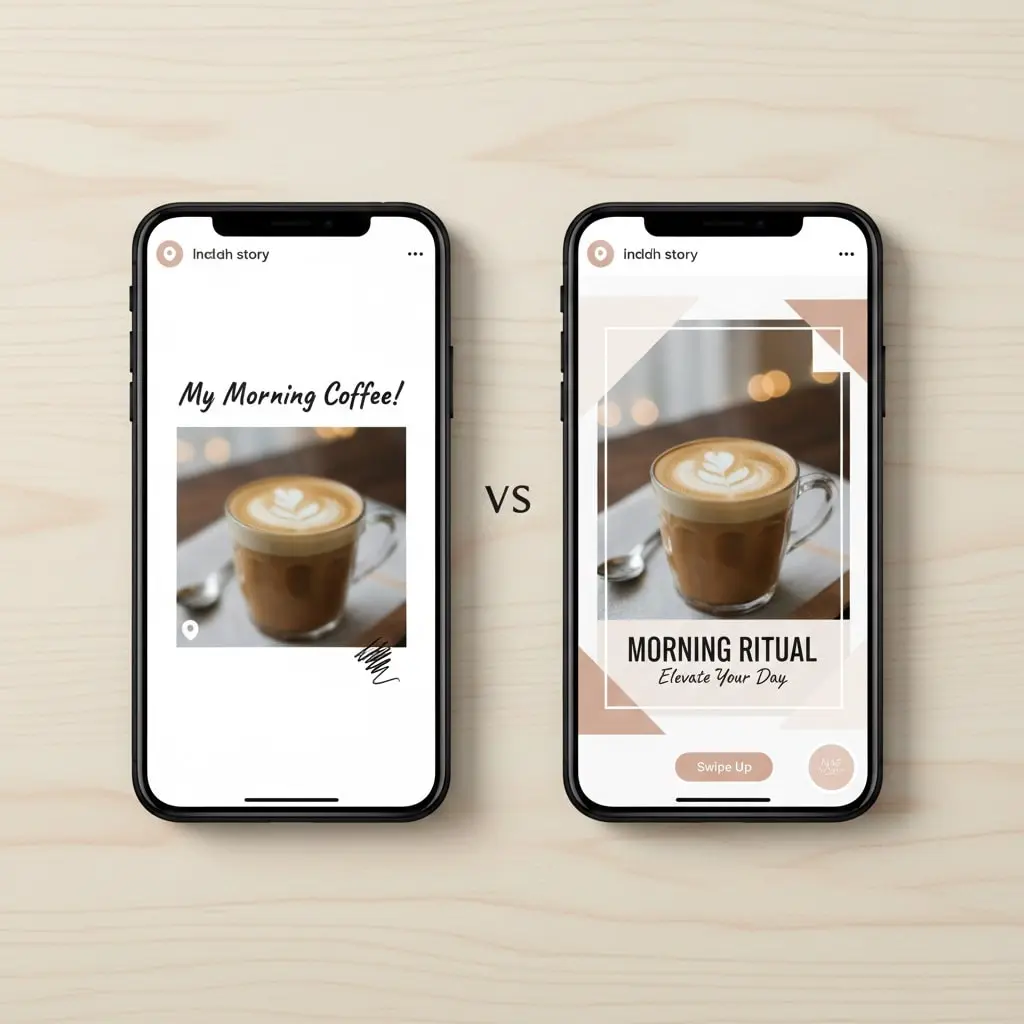
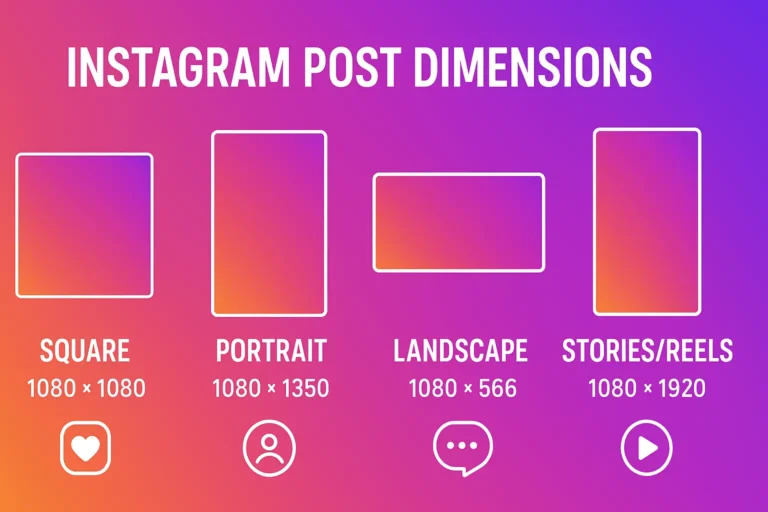
Instagram Story templates are pre-designed layouts specifically formatted for Instagram’s 1080×1920 pixel vertical canvas. These ready-made designs eliminate the need for creating Stories from scratch, offering professional-quality graphics that you can customize with your own content, brand colors, and messaging.
Using templates provides several compelling advantages for your Instagram strategy. First, they dramatically reduce content creation time—what might take 30 minutes to design manually can be completed in under 5 minutes with a template. Second, templates ensure visual consistency across your Stories, helping build brand recognition and creating a cohesive aesthetic that followers recognize instantly.
Templates also level the playing field for those without formal design training. You don’t need to understand color theory, typography principles, or composition rules to create stunning Stories. The hard work is already done—you simply personalize the template to match your needs.
Finally, well-designed templates naturally boost engagement rates. Eye-catching visuals with strategic layouts guide viewer attention exactly where you want it, whether that’s a call-to-action button, product showcase, or important announcement.
Understanding Instagram Story Template Requirements
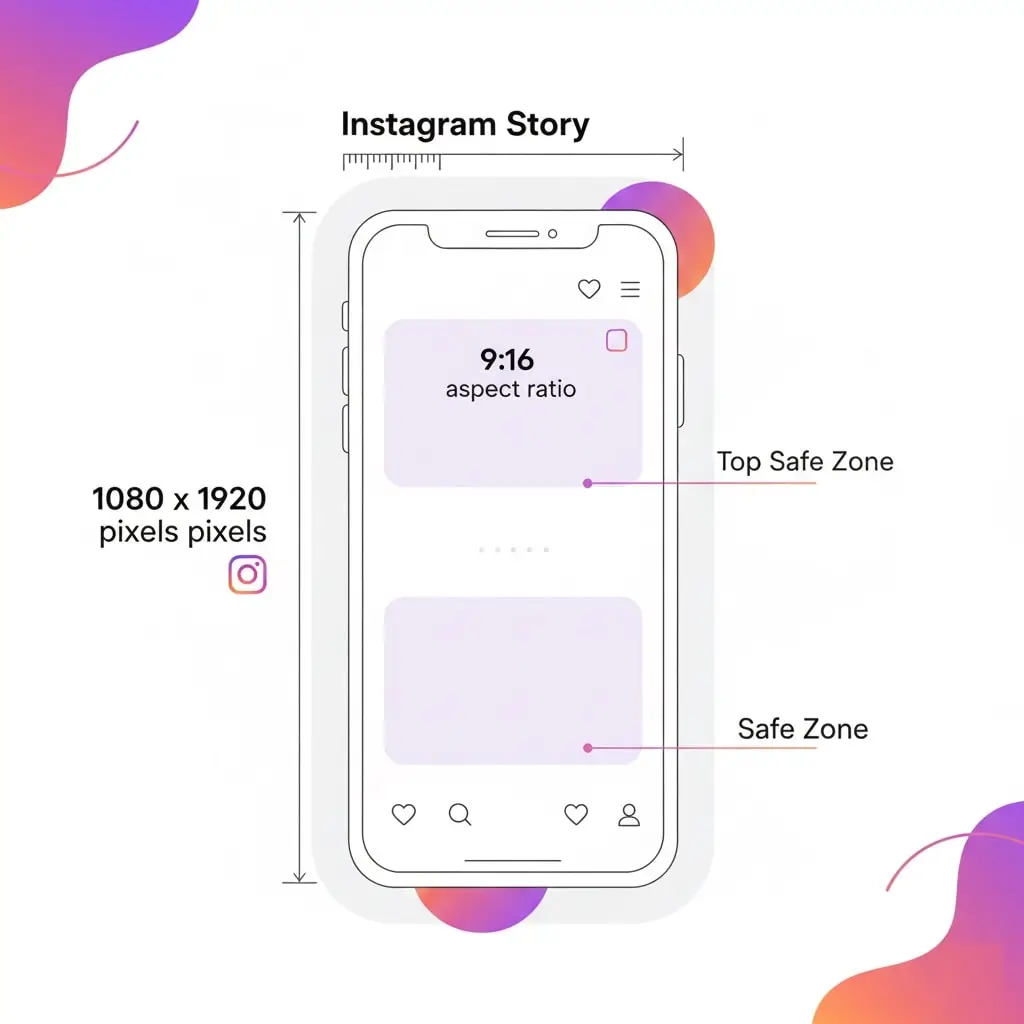
Before learning how to find Instagram Story templates, it’s crucial to understand the technical specifications that make templates work effectively on Instagram’s platform.
Essential Dimensions and Specifications
Instagram Stories display in a 9:16 aspect ratio, with the ideal dimensions being 1080 pixels wide by 1920 pixels tall. While Instagram accepts other sizes, using these exact dimensions ensures your content displays perfectly without cropping or quality loss. You can verify these specifications on Instagram’s official Story dimensions and specifications page.
File format matters too. Instagram accepts JPG, PNG, and MP4 files for Stories. For static templates with graphics and text, PNG format works best because it preserves transparency and maintains sharp text quality. JPG works well for photo-heavy templates, while MP4 is necessary for video or animated templates.
Keep file sizes manageable—Instagram recommends staying under 30MB for videos and 8MB for images. Larger files may experience compression issues that degrade visual quality.
Safe Zone Considerations
When evaluating templates, pay attention to the “safe zone”—the area where content won’t be obscured by Instagram’s interface elements. Your profile picture covers the top-left corner, while the bottom 250 pixels often contain reply fields or swipe-up areas. Quality templates account for these safe zones, keeping important text and graphics visible.
How to Find Instagram Story Templates: 7 Best Free Sources

Now let’s explore the most reliable platforms where you can discover high-quality, free templates that will elevate your Instagram presence.
1. Canva: The Ultimate Template Powerhouse
Canva stands as the most popular destination when learning how to find Instagram Story templates. With over 100,000 free Instagram Story designs available, Canva offers unmatched variety for every niche and style preference.
Why Canva Excels:
The platform’s intuitive drag-and-drop interface makes customization effortless, even for complete beginners. You’ll find templates for every occasion—product launches, quotes, behind-the-scenes content, polls, quizzes, countdowns, and seasonal celebrations.
Canva’s search functionality is incredibly powerful. Simply type “Instagram Story” plus your niche (like “Instagram Story fitness” or “Instagram Story real estate”) to find relevant templates. Filter results by color, style, or theme to narrow your options quickly.
The free version provides extensive features, though upgrading to Canva Pro ($12.99/monthly) unlocks premium templates, brand kit features, and background remover tools that streamline your workflow significantly.
How to Access:
- Visit canva.com or download the mobile app
- Search “Instagram Story templates”
- Browse categories or use specific keywords
- Click any template to start customizing
- Download in PNG format when finished
2. Adobe Express: Professional-Grade Templates Free
Adobe Express (formerly Adobe Spark) delivers professionally designed templates with Adobe’s signature quality standards. While the selection is smaller than Canva’s, every template showcases exceptional design principles.
What Sets Adobe Express Apart:
The templates feel more sophisticated and editorial, perfect for brands wanting elevated aesthetics. Adobe Express integrates seamlessly with other Adobe products, so if you’re already using Photoshop or Illustrator, your assets transfer easily.
The platform includes built-in animation features, letting you add subtle motion to static templates without additional software. These micro-animations can significantly boost engagement by catching viewer attention in crowded feeds.
Access Method:
- Navigate to express.adobe.com
- Select “Instagram Story” from the project types
- Browse the curated template library
- Customize using Adobe’s editing tools
- Export directly sized for Instagram
3. Crello (VistaCreate): Hidden Gem for Template Hunters
VistaCreate, recently rebranded from Crello, offers an impressive collection of animated and static templates that many marketers overlook when figuring out how to find Instagram Story templates.
Unique Advantages:
VistaCreate specializes in motion graphics templates—think animated text, moving backgrounds, and dynamic transitions. These animated elements help Stories stand out in ways static images cannot, potentially increasing completion rates.
The platform provides a generous free tier with thousands of templates, video clips, and music tracks. Their template library updates regularly with trending designs, keeping your content feeling current and relevant.
VistaCreate also offers team collaboration features in higher tiers, making it ideal for agencies or businesses with multiple content creators needing consistent branding.
Getting Started:
- Create a free account at create.vista.com
- Choose “Instagram Story” format
- Explore static and animated options
- Customize colors, text, and images
- Download or schedule directly to Instagram
4. Unsplash and Pexels: Free Stock Photos as Template Bases
While not traditional template sources, Unsplash and Pexels provide stunning royalty-free images that serve as excellent template foundations when you’re learning how to find Instagram Story templates through alternative methods.
Creative Application:
Download high-resolution vertical images in 9:16 ratio, then overlay text, graphics, or your logo using Instagram’s built-in editing tools or apps like Over or Unfold. This approach gives you virtually unlimited template options since you’re creating semi-custom designs from professional photography.
Both platforms offer completely free images with no attribution required, though crediting photographers is appreciated. The image quality rivals expensive stock photo services, giving your Stories a premium appearance without the premium cost.
Search Tips:
- Use vertical or portrait filters
- Search specific themes (minimalist, nature, urban, etc.)
- Download highest resolution available
- Save favorites to collections for quick access
5. Instagram’s Native Template Features
Instagram itself has been expanding built-in Story creation tools, offering simple templates directly within the app. While less sophisticated than dedicated design platforms, these native options answer the question of how to find Instagram Story templates without leaving Instagram.
Available Native Tools:
The “Create” mode includes various backgrounds, text styles, and layout options. Simply swipe through available designs and tap to customize. Instagram regularly adds new options, especially around holidays and trending events.
The “Add Yours” sticker and template trends also provide inspiration. When you see a template trending in your feed, you can save and adapt the style for your own content.
Quiz, poll, and question stickers function as mini-templates themselves, providing structured layouts that encourage engagement through built-in interactivity.
Accessing Native Templates:
- Open Instagram camera
- Swipe to “Create” mode
- Browse available templates
- Add text and customize colors
- Share directly to your Story
6. Pinterest: Template Inspiration and Direct Downloads
Pinterest serves dual purposes when discovering how to find Instagram Story templates. First, it’s an incredible inspiration source showing current design trends. Second, many creators share free downloadable templates directly through Pinterest pins.
Effective Pinterest Strategy:
Search terms like “free Instagram Story templates,” “Instagram Story ideas,” or “Instagram Story backgrounds” to find thousands of options. Many graphic designers and template creators use Pinterest to showcase their free resources, linking to download pages.
Create Pinterest boards to organize templates by theme, color scheme, or purpose. This system lets you quickly access saved templates when planning content batches.
Pay attention to engagement metrics on pins—high save counts typically indicate quality, useful templates that resonate with other users.
Best Practices:
- Use specific search terms for better results
- Check pin descriptions for download links
- Verify licenses before commercial use
- Save templates to organized boards
- Follow template creator accounts for updates
7. Template Marketplaces with Free Sections
Platforms like Creative Market, Etsy, and Design Bundles primarily sell premium templates, but each maintains free sections with high-quality options. This proves invaluable when learning how to find Instagram Story templates that look premium without the price tag.
Why Check Paid Marketplaces:
Free sections often contain samples from paid packs, giving you a taste of premium quality. Designers use these freebies as marketing tools, so they’re usually well-designed to showcase the creator’s skills.
These templates frequently include commercial licenses, meaning you can use them for client work or business purposes without additional fees—something not always clear with other free sources.
Signing up for marketplace newsletters alerts you to free template promotions, limited-time giveaways, and discount codes for premium packs when you’re ready to invest.
How to Navigate:
- Browse “free” categories or filters
- Read licensing terms carefully
- Download and save to organized folders
- Follow favorite designers for new releases
- Watch for seasonal free template promotions
Step-by-Step Guide: Finding and Using Templates Effectively
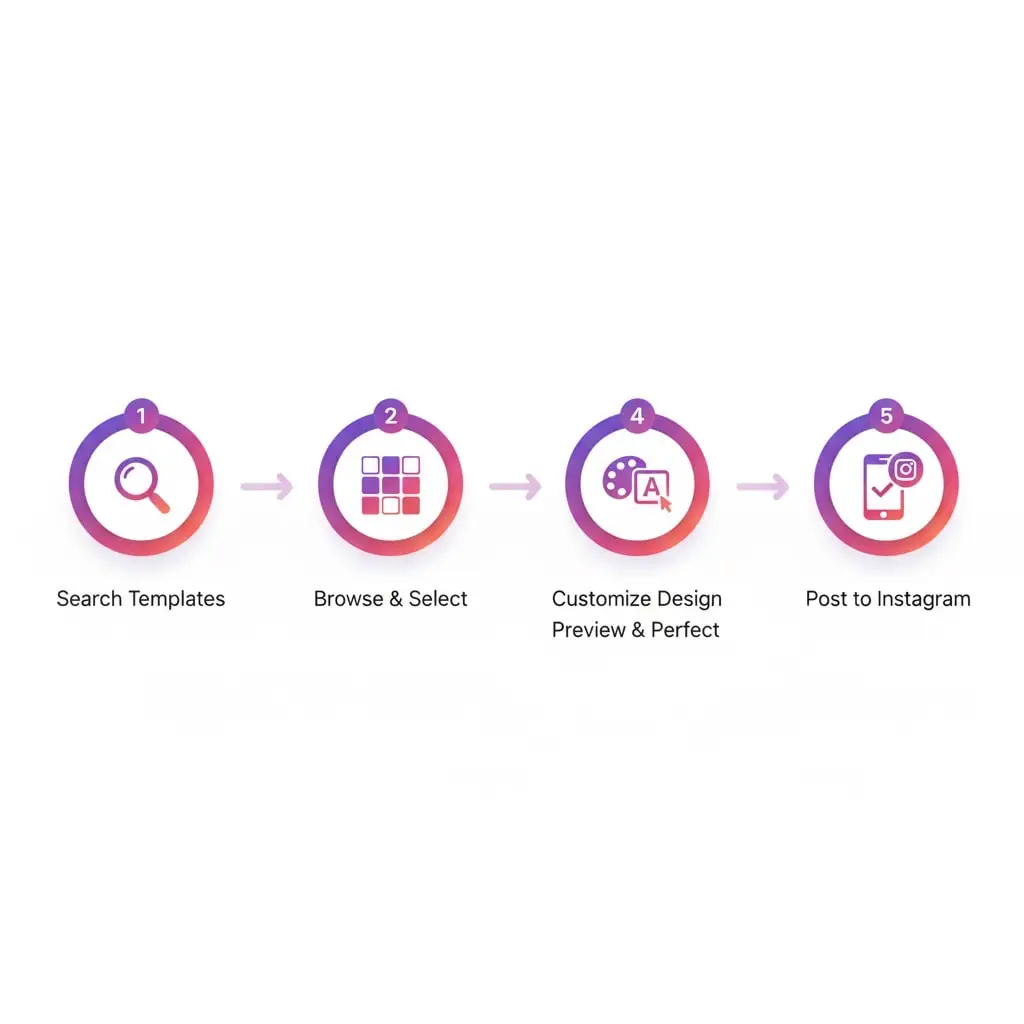
Understanding how to find Instagram Story templates is just the beginning. Implementing an efficient workflow ensures you maximize these resources without wasting time.
Step 1: Define Your Content Needs
Before searching randomly, identify your specific template requirements. Ask yourself:
- What type of content am I creating? (promotional, educational, entertaining)
- What’s my brand aesthetic? (minimalist, bold, elegant, playful)
- Who is my target audience?
- How frequently will I post Stories?
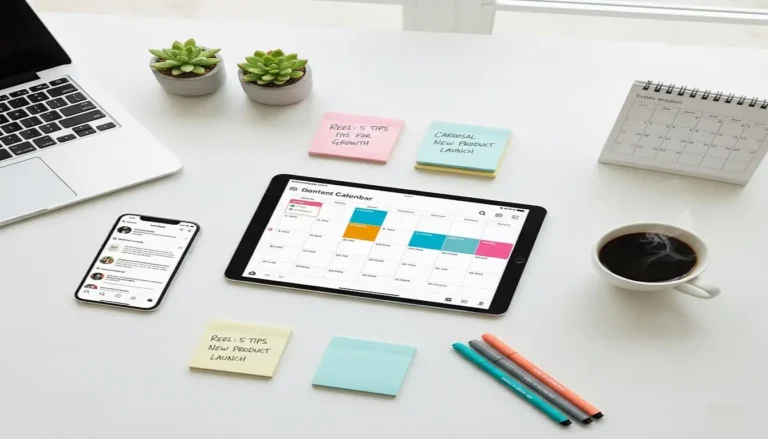
Creating a simple content calendar helps determine how many templates you need and what varieties will serve your strategy best.
Step 2: Search Strategically
Use specific keywords rather than generic terms. Instead of just searching “Instagram Story templates,” try:
- “Instagram Story templates for [your niche]”
- “Minimalist Instagram Story templates”
- “Animated Instagram Story templates”
- “Instagram Story highlight covers”
This specificity yields more relevant results, saving browsing time.
Step 3: Evaluate Template Quality
Not all templates are created equal. When evaluating options, consider:
Design Quality: Does the layout look professional? Is text readable? Are colors harmonious?
Customization Flexibility: Can you easily change colors, fonts, and images to match your brand?
File Format: Is it provided in an editable format you can work with?
Resolution: Will it maintain quality when uploaded to Instagram?
Quality matters more than quantity—five excellent templates you’ll actually use beat fifty mediocre ones cluttering your downloads folder.
Step 4: Organize Your Template Library
Create a systematic organization method for templates you discover. This might include:
- Folders by content type (quotes, products, announcements)
- Folders by color scheme
- Folders by season or holiday
- A “favorites” folder for your most-used designs
Cloud storage services like Google Drive, Dropbox, or OneDrive ensure you can access templates from any device, crucial for maintaining posting consistency.
Step 5: Customize for Brand Consistency
Never use templates exactly as downloaded. Always customize to reflect your unique brand identity:
Colors: Replace template colors with your brand palette. Consistency builds recognition—followers should identify your Stories before seeing your username.
Fonts: Use your brand fonts if possible. Most template platforms let you upload custom fonts or choose from extensive libraries.
Imagery: Replace stock photos with your own product images, team photos, or brand-specific content.
Logo Placement: Add your logo subtly but consistently, typically in corners where it won’t interfere with content.
Step 6: Test and Analyze Performance
Track which template styles drive the best engagement. Instagram Insights shows completion rates, exits, replies, and other metrics indicating how well Stories perform.
Notice patterns—do certain layouts keep viewers watching longer? Do specific color schemes generate more replies? Does animated text boost interaction compared to static designs?
Use these insights to refine your template choices, doubling down on what works and phasing out underperforming styles.
Advanced Tips for Maximizing Template Effectiveness
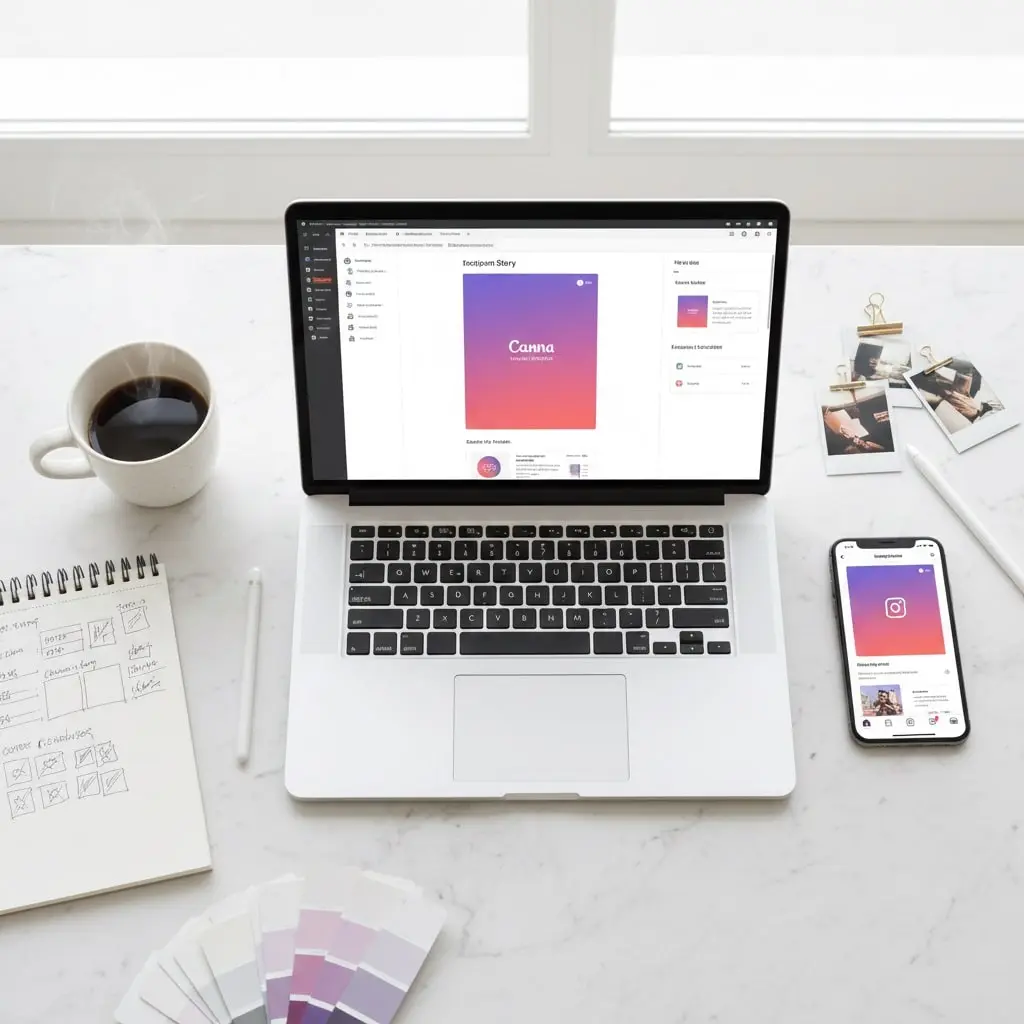
Once you’ve mastered how to find Instagram Story templates, these advanced strategies will help you extract even more value.
Batch Create Content
Dedicate specific time blocks to creating multiple Stories at once using templates. This batching approach:
- Improves efficiency through repeated actions
- Ensures consistent posting without daily design pressure
- Allows strategic content planning rather than reactive posting
- Reduces decision fatigue about what to create
Many users find that creating a week’s worth of Stories in one 2-hour session beats creating daily Stories on-the-fly.
Create Template Variations
Don’t rely on a single template. Develop 3-5 variations within your brand guidelines to provide visual variety while maintaining cohesiveness. This might include:
- Different layouts (centered text vs. side-aligned)
- Varying background treatments (solid, gradient, photo)
- Alternative text hierarchies
- Different animation styles (if using motion templates)
Rotation prevents follower fatigue from seeing identical layouts repeatedly.
Adapt Templates for Different Story Types
Quality templates can serve multiple purposes with minor adjustments. Following proven Instagram Story best practices, you can adapt templates for various content needs:
Promotional Stories: Add product images, prices, and strong calls-to-action Educational Stories: Include numbered steps or bullet points with tips Engagement Stories: Incorporate polls, quizzes, or question stickers Behind-the-Scenes: Overlay transparent text on authentic photos
This versatility maximizes your template investment, whether monetary or time-based.
Maintain a Swipe File
Create a dedicated folder or Pinterest board of inspiring Stories you see from other accounts. Analyze what makes them effective, then look for templates with similar structures. This ongoing research keeps your content feeling current and competitive.
Common Mistakes When Finding Instagram Story Templates
Avoid these pitfalls that trap many users learning how to find Instagram Story templates:
Mistake 1: Choosing Style Over Function
A beautiful template that doesn’t communicate your message clearly is ineffective. Prioritize readability and clarity over pure aesthetics. Your followers should grasp your message within 2-3 seconds—the average Story viewing time.
Mistake 2: Ignoring Mobile Optimization
Always preview templates on a mobile device before posting. Text that looks perfect on a desktop monitor might be too small or crowded on a smartphone screen. Since 98% of Instagram users access the platform via mobile, optimization is non-negotiable.
Mistake 3: Using Inconsistent Branding
Jumping between wildly different template styles confuses followers and dilutes brand recognition. While variety prevents monotony, maintain consistent core elements like color palette, font families, and overall aesthetic tone.
Mistake 4: Overlooking Copyright and Licensing
Free doesn’t always mean commercially usable. Before using templates for business purposes, verify the license permits commercial use. Some free templates restrict commercial applications or require attribution.
Mistake 5: Template Overload
Having too many templates creates decision paralysis and wastes storage space. Curate a focused collection of 10-20 versatile templates you’ll actually use rather than hoarding hundreds you’ll never open.
How Instagram Story Templates Boost Engagement
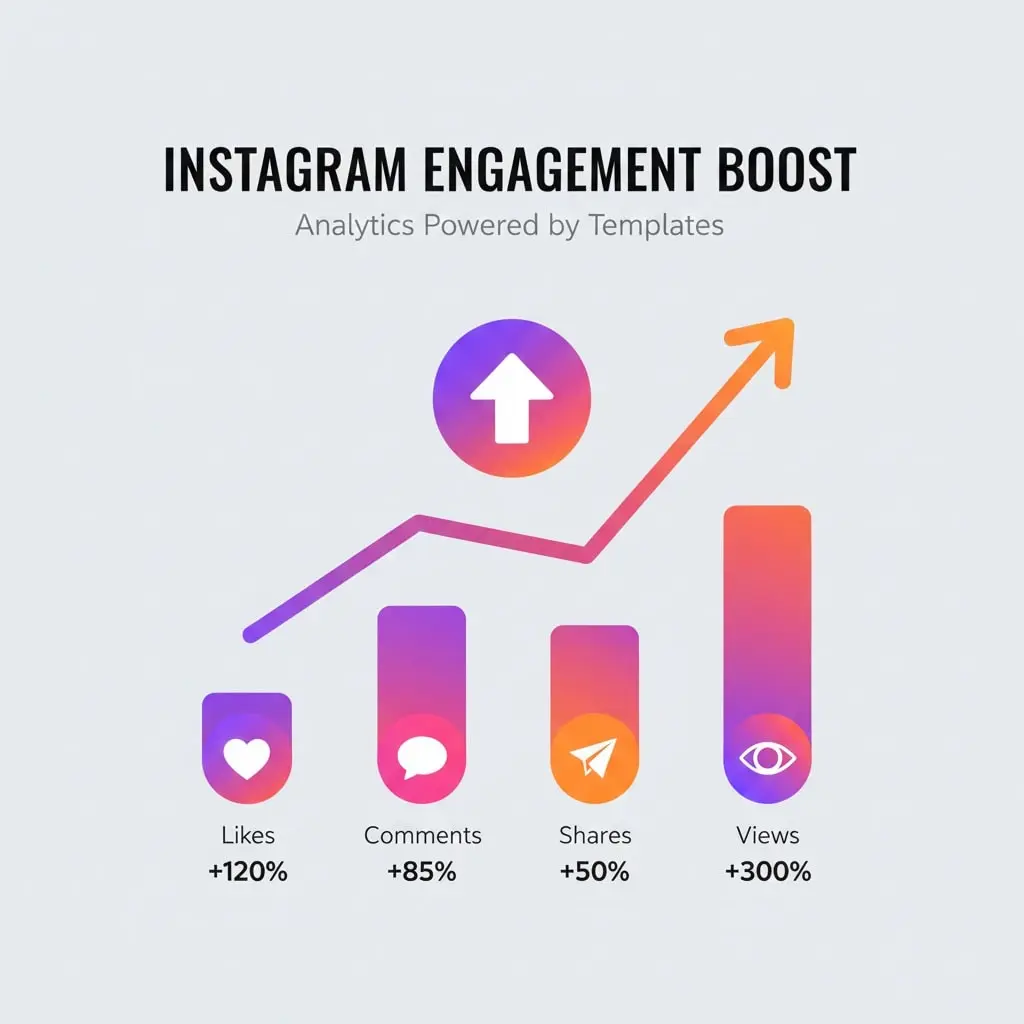
Understanding the engagement benefits reinforces why learning how to find Instagram Story templates matters for your Instagram success.
Professional Appearance Builds Trust
High-quality visuals signal credibility and professionalism. Templates designed by skilled graphic designers help your brand appear more established and trustworthy, even if you’re a solo entrepreneur just starting out.
Consistency Increases Brand Recognition
When followers consistently see your distinctive template style, they recognize your content instantly as they scroll through Stories. This recognition increases the likelihood they’ll stop and engage rather than tapping past.
Better Readability Improves Message Retention
Templates use proven design principles—appropriate contrast, readable fonts, strategic white space—that make content easier to consume. When information is easily digestible, viewers retain more of your message and act on calls-to-action more frequently.
Time Savings Enable More Frequent Posting
The time you save using templates instead of designing from scratch allows more consistent posting. Consistent posting builds audience expectations and increases overall reach as the algorithm favors active accounts.
Adapting Templates for Different Industries
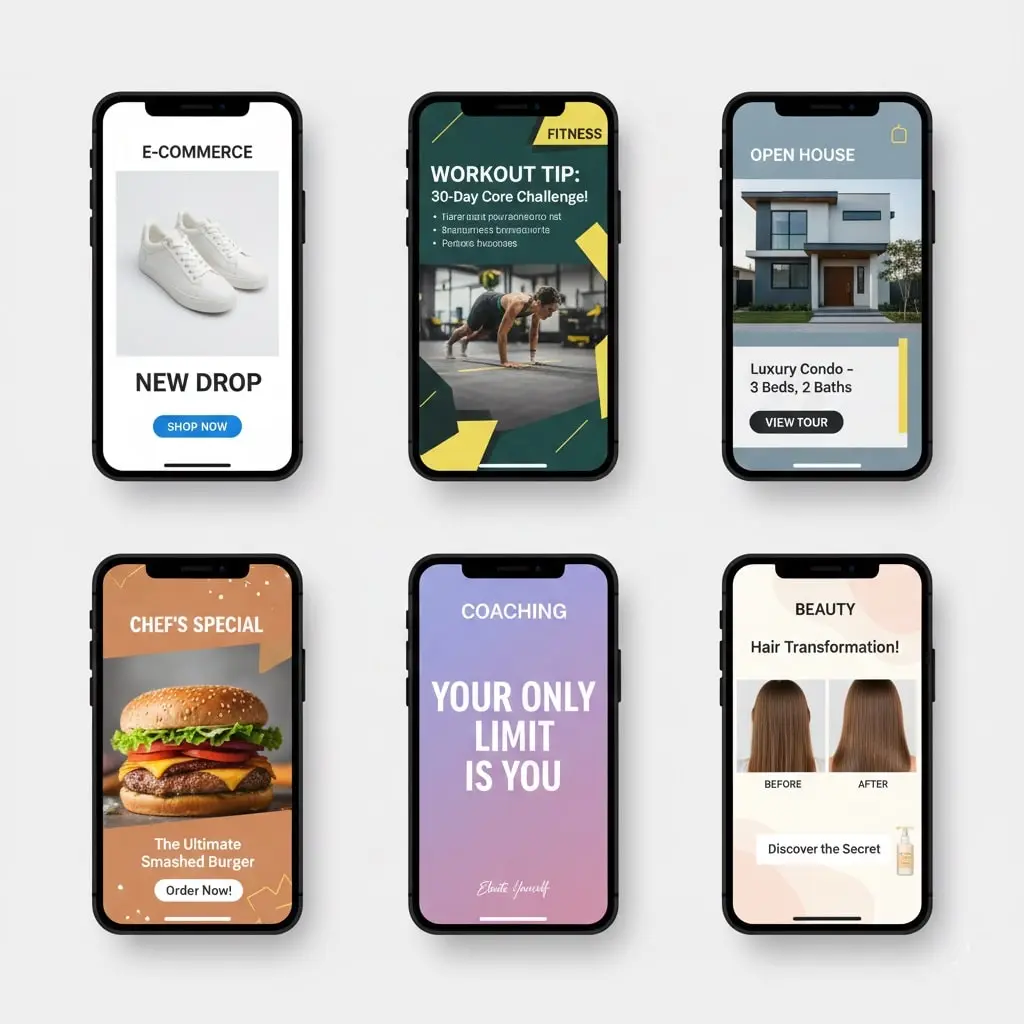
The beauty of knowing how to find Instagram Story templates lies in their adaptability across various industries and niches.
E-Commerce and Retail
Product showcase templates with clean backgrounds let merchandise shine. Include templates for sales announcements, new arrival reveals, customer testimonials, and behind-the-scenes production content.
Fitness and Wellness
Before-and-after layouts, workout tip cards, motivational quote templates, and transformation showcase designs work exceptionally well. Look for energetic color schemes that convey vitality.
Real Estate
Property showcase templates highlighting key features, neighborhood guides, open house announcements, and client success stories help realtors maintain professional presentation standards.
Food and Restaurants
Menu highlight templates, daily special announcements, recipe cards, and customer review showcases drive engagement in food industries. Vibrant colors and appetizing photography backgrounds work best.
Coaching and Consulting
Educational carousel templates, tip sheets, client testimonial layouts, and webinar promotion designs help knowledge-based businesses establish authority and attract qualified leads.
Future Trends in Instagram Story Templates
Staying ahead of trends ensures your content remains relevant when applying knowledge about how to find Instagram Story templates.
Increased Animation and Motion
Static templates are giving way to subtle animations—moving backgrounds, animated text reveals, and dynamic transitions. These motion elements capture attention more effectively in crowded feeds.
AI-Generated Custom Templates
Artificial intelligence tools are beginning to generate custom templates based on brand guidelines and content needs. This technology will make template creation even more accessible and personalized.
Interactive Template Elements
Templates incorporating native Instagram features like polls, quizzes, countdowns, and sliders see higher engagement. Future templates will likely integrate these interactive elements more seamlessly into designs.
Augmented Reality Integration
AR filters and effects are becoming template elements themselves. As AR technology becomes more accessible, expect templates that incorporate these immersive features.
Accessibility-Focused Designs
Growing awareness of digital accessibility is influencing template design. Future templates will prioritize high contrast, readable fonts, and alternative text compatibility to ensure content reaches all audiences.
Conclusion: Transform Your Instagram Strategy Today
Mastering how to find Instagram Story templates represents one of the most efficient ways to elevate your Instagram presence without expensive software or extensive design training. The seven free sources outlined in this guide provide thousands of professional-quality options suitable for any brand, niche, or aesthetic preference.
Remember that templates are starting points, not final products. The real magic happens when you customize these resources to reflect your unique brand voice, values, and visual identity. Consistency in using well-chosen templates builds recognition, trust, and engagement over time.
Start by exploring one or two platforms from this guide. Download a small collection of templates that align with your brand aesthetic, organize them systematically, and begin incorporating them into your content calendar. Track performance metrics to identify which styles resonate most with your specific audience, then refine your approach accordingly.
The time you invest in finding and organizing quality templates pays exponential dividends through faster content creation, more consistent posting, and higher engagement rates. Your Instagram Story game is about to level up significantly.
Your Next Steps:
- Choose two platforms from this guide to explore first
- Download 5-10 templates that match your brand aesthetic
- Create a content calendar for the next week
- Customize templates with your branding elements
- Post consistently and track engagement metrics
- Refine your template selection based on performance data
The world of Instagram Story templates is vast, creative, and constantly evolving. Now that you know exactly how to find Instagram Story templates from the best free sources available, you’re equipped to create stunning, engagement-driving Stories that captivate your audience and grow your Instagram presence throughout 2025 and beyond.
Frequently Asked Questions About Instagram Story Templates
What are Instagram Story templates and how do they work?
Instagram Story templates are pre-designed layouts specifically formatted for Instagram’s 1080×1920 pixel vertical canvas. They work by providing ready-made designs that you can customize with your own text, images, colors, and branding elements. Simply download a template from platforms like Canva or Adobe Express, edit it to match your needs, and upload it to Instagram Stories.
Where can I find free Instagram Story templates?
You can find free Instagram Story templates on multiple platforms including Canva (100,000+ free designs), Adobe Express, VistaCreate (Crello), Unsplash, Pexels, Pinterest, and the free sections of Creative Market and Etsy. Instagram also offers built-in templates through its “Create” mode within the app itself.
Are Instagram Story templates really free to use for business?
Most platforms offer free templates, but licensing varies. Canva’s free templates can be used commercially with attribution. Adobe Express free templates also allow commercial use. However, always check the specific license terms before using templates for business purposes, as some may restrict commercial applications or require attribution to the creator.
What size should Instagram Story templates be?
Instagram Story templates should be 1080 pixels wide by 1920 pixels tall, maintaining a 9:16 aspect ratio. This ensures your content displays perfectly without cropping or quality loss. File formats should be PNG for graphics with text, JPG for photo-heavy content, or MP4 for video templates, with file sizes under 30MB for videos and 8MB for images.
How do I customize Instagram Story templates to match my brand?
To customize templates for your brand, replace the default colors with your brand palette, change fonts to match your brand typography, swap stock images with your own photos or products, and add your logo consistently. Most template platforms like Canva and Adobe Express offer easy drag-and-drop customization that requires no design experience.
Can I use the same Instagram Story template multiple times?
Yes, you can and should reuse templates multiple times. Using consistent templates helps build brand recognition and saves time. However, create 3-5 template variations to provide visual variety while maintaining your brand identity. Rotate between these variations to prevent follower fatigue from seeing identical layouts repeatedly.
Do Instagram Story templates increase engagement?
Yes, well-designed templates typically increase engagement rates. Professional-looking templates make content more visually appealing, which stops the scroll and encourages viewers to watch, interact, and respond. Templates also ensure consistency, which builds brand recognition and trust, leading to higher overall engagement over time.
How many Instagram Story templates should I have?
Start with 5-10 core templates covering different content types like promotions, educational content, quotes, product showcases, and announcements. This provides enough variety without overwhelming you with choices. As you grow, you can expand to 15-20 templates organized by purpose, season, or campaign type.
Can I edit Instagram Story templates on my phone?
Yes, most platforms offer mobile apps for editing templates. Canva, Adobe Express, and VistaCreate all have robust mobile applications that allow full template customization on smartphones. This makes it convenient to create and post Stories directly from your phone without needing a computer.
What’s the difference between free and paid Instagram Story templates?
Free templates offer basic designs with standard customization options and may be used by many other accounts. Paid templates typically provide more unique designs, advanced customization features, higher quality graphics, commercial use licenses, and exclusive styles that help your brand stand out. Paid templates range from $5-$50 depending on the pack and platform.
how to find Instagram Story templates how to find Instagram Story templates how to find Instagram Story templates how to find Instagram Story templates how to find Instagram Story templates how to find Instagram Story templates how to find Instagram Story templates how to find Instagram Story templates how to find Instagram Story templateshow to find Instagram Story templateshow to find Instagram Story templateshow to find Instagram Story templates