How to Create an Instagram Content Calendar That Actually Works (2025 Guide)
Posting on Instagram without a plan is like driving without a map – you might eventually get somewhere, but you’ll waste a lot of time and energy along the way. If you’ve ever found yourself scrambling at 9 PM, desperately searching for something to post, or gone weeks without updating your feed because you “just don’t know what to share,” you need an Instagram content calendar.
An Instagram content calendar is more than just a scheduling tool. It’s your strategic roadmap to consistent posting, higher engagement, and a cohesive brand presence that keeps your followers coming back for more. In this comprehensive guide, you’ll learn exactly how to create an Instagram content calendar that actually works – one that saves you hours each week while growing your audience.
Whether you’re a small business owner, content creator, or social media manager, by the end of this article, you’ll have a clear system for planning, creating, and scheduling Instagram content that delivers real results.
Table of Contents
What Is an Instagram Content Calendar?
An Instagram content calendar is a strategic planning tool that helps you organize and schedule your Instagram posts, Stories, Reels, and other content in advance. Think of it as your editorial calendar specifically designed for Instagram marketing.
At its core, an Instagram content calendar includes:
- Post dates and times for optimal engagement
- Content types (feed posts, Stories, Reels, carousels, IGTV)
- Captions and copy prepared in advance
- Hashtag sets organized by theme or campaign
- Visual assets linked or stored for easy access
- Content themes aligned with your marketing goals
- Campaign tracking to measure what’s working
Unlike random, sporadic posting, a well-structured content calendar ensures you’re posting consistently, maintaining brand cohesion, and strategically working toward your business objectives. It transforms Instagram from a time-consuming chore into a streamlined marketing machine.
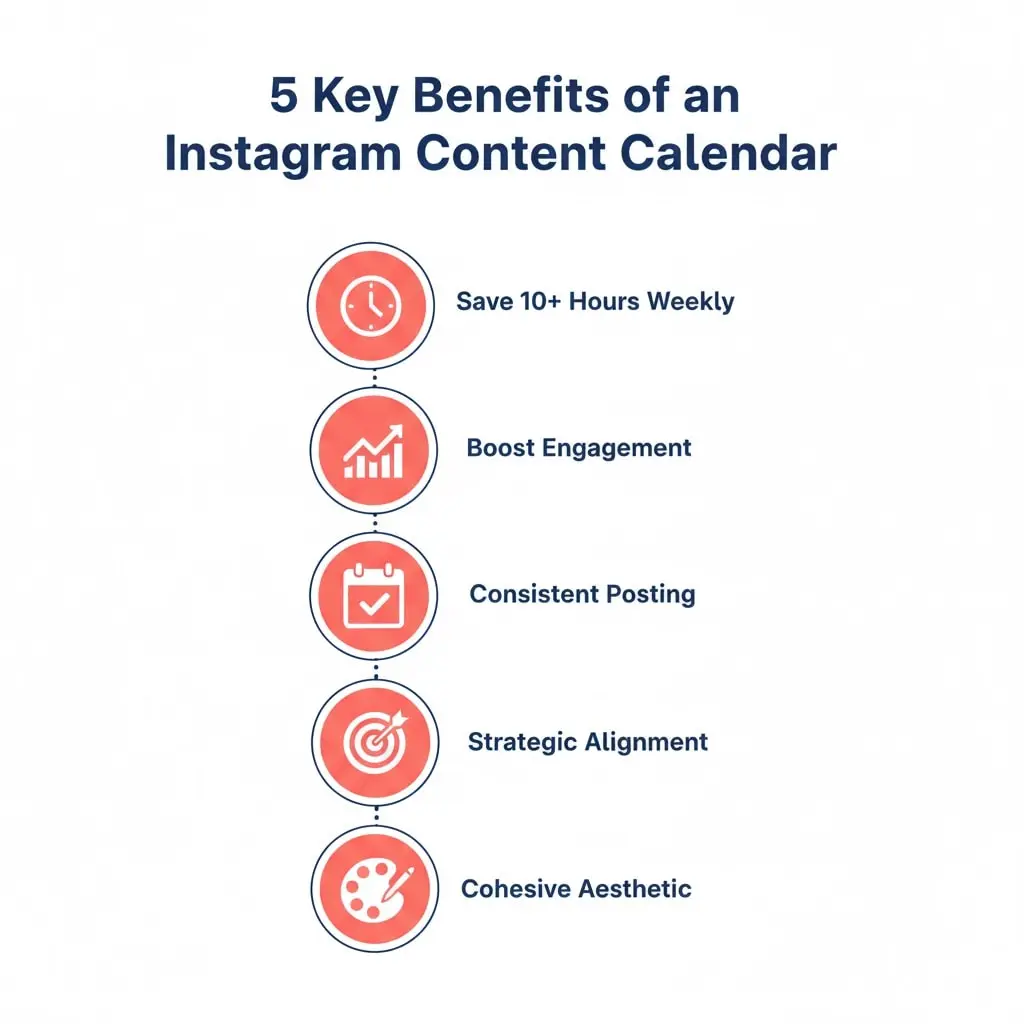
Why You Need an Instagram Content Calendar (5 Game-Changing Benefits)
1. Consistency Builds Trust and Growth
The Instagram algorithm favors consistent accounts. When you post regularly, Instagram shows your content to more people. But consistency isn’t just about pleasing algorithms – it’s about building trust with your audience. Followers come to expect and look forward to your content when you show up reliably.
Studies show that brands posting 3-7 times per week see the highest engagement rates. A content calendar makes this consistency effortless by removing the daily stress of “what should I post today?”
2. Save 10+ Hours Every Week
Content creation is time-consuming. Without a calendar, you’re constantly context-switching – writing captions, designing graphics, researching hashtags, and posting all on the same day. This scattered approach is exhausting and inefficient.
With a content calendar, you can batch create content. Spend one afternoon writing all your captions for the month, another session designing graphics, and schedule everything in advance. This focused approach can save you 10-15 hours weekly – time you can reinvest in engaging with your community or growing your business.
3. Strategic Alignment with Business Goals
Random posting leads to random results. A content calendar forces you to think strategically about your Instagram presence. Are you launching a new product? Your calendar ensures you’re building anticipation weeks in advance. Hosting a webinar? Your content can funnel followers toward registration.
Every post becomes intentional, working together as part of a larger strategy rather than isolated pieces of content fighting for attention.
4. Maintain a Cohesive Brand Aesthetic
Your Instagram feed is often the first impression potential customers have of your brand. A content calendar allows you to see your entire feed layout in advance, ensuring colors, themes, and styles flow together cohesively.
You can plan the visual balance between product shots, lifestyle images, quotes, and user-generated content so your feed looks intentional and professional, not chaotic and thrown together.
5. Never Miss Important Dates or Opportunities
Holidays, industry events, awareness days, and seasonal trends offer golden opportunities for timely, relevant content. Without a calendar, these moments slip by unnoticed. A content calendar helps you plan for Valentine’s Day in January, Black Friday in September, and industry conferences months in advance – giving you time to create quality content rather than rushed, last-minute posts.
Step-by-Step: How to Create Your Instagram Content Calendar
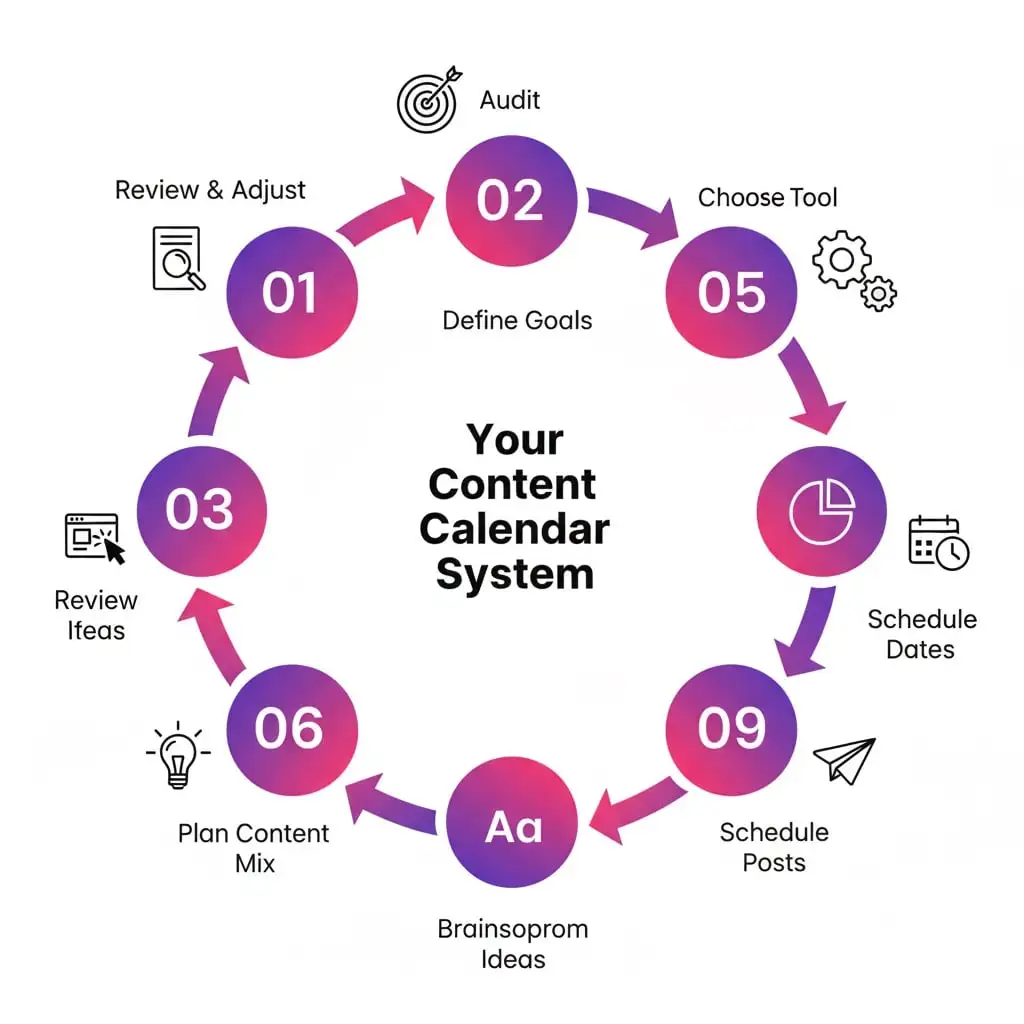
Step 1: Audit Your Current Instagram Performance
Before planning future content, understand what’s already working. Open Instagram Insights (available for business and creator accounts) and analyze your last 30-90 days of content.
Key metrics to review:
- Top performing posts – Which content got the most engagement?
- Best posting times – When is your audience most active?
- Content type performance – Do carousels outperform single images? Are Reels driving more reach?
- Hashtag effectiveness – Which hashtag sets brought in new followers?
- Audience demographics – Who are you actually reaching?
Document these insights. They’ll inform your content calendar decisions, helping you double down on what works and eliminate what doesn’t.
Action step: Create a simple spreadsheet listing your top 10 posts, their format, topic, posting time, and engagement rate. Look for patterns.
Step 2: Define Your Content Goals and Pillars
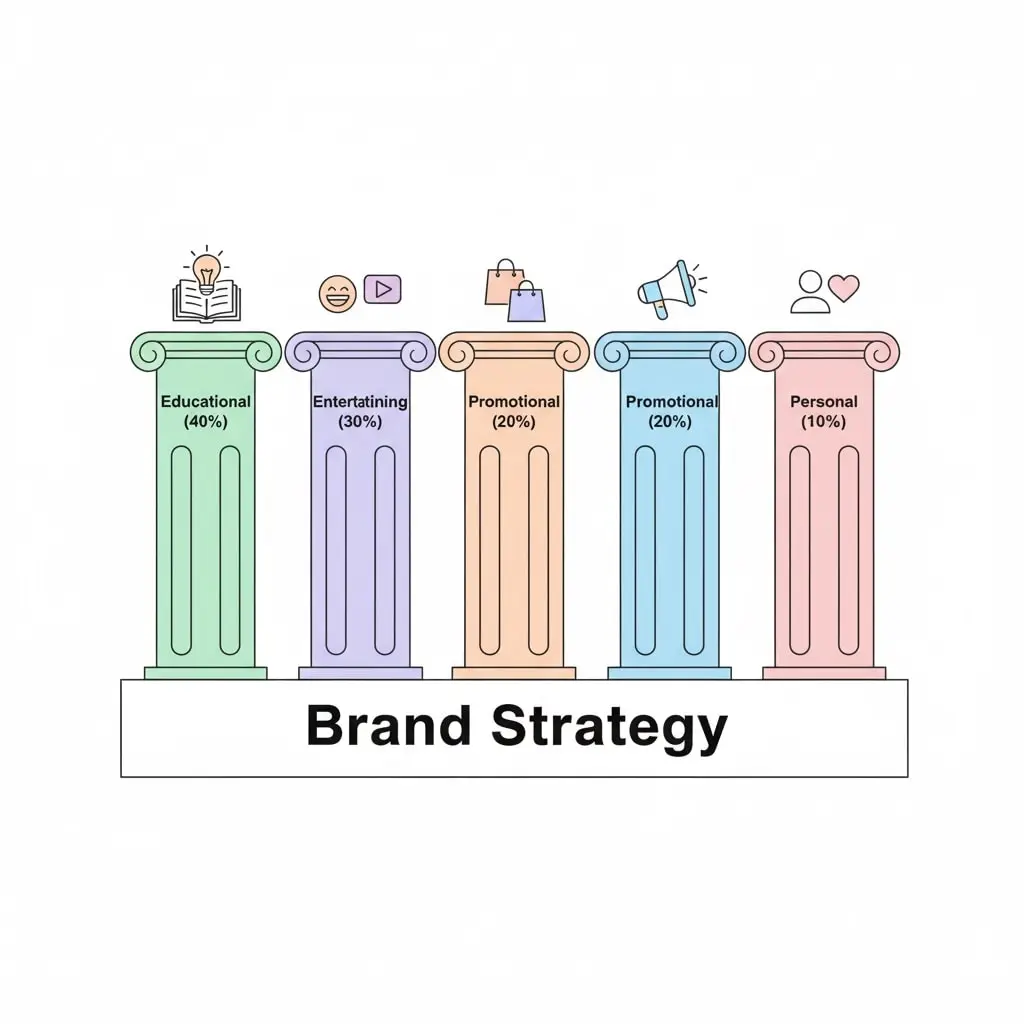
Random content attracts random followers. Strategic content attracts your ideal audience. Define 3-5 content pillars – overarching themes that represent your brand and provide value to your target audience.
Example content pillars for different niches:
Fitness Coach:
- Workout tutorials and exercise tips
- Nutrition and healthy recipes
- Motivation and mindset
- Client transformations and testimonials
- Behind-the-scenes and personal stories
E-commerce Fashion Brand:
- Product showcases and styling tips
- Customer photos and reviews
- Fashion trends and inspiration
- Brand story and values
- Exclusive promotions and launches
Business Coach:
- Business strategy and tips
- Success stories and case studies
- Productivity and time management
- Personal branding advice
- Behind-the-scenes of entrepreneurship
Each content pillar should align with your business goals (drive sales, build community, establish authority) while genuinely serving your audience’s needs and interests.
Action step: Write down your 3-5 content pillars and assign each a percentage of your overall content. For example: 40% educational, 30% entertaining, 20% promotional, 10% personal.
Step 3: Choose Your Content Calendar Tool
You don’t need fancy software to start. Choose a tool that fits your budget, technical comfort level, and team size.
Free options:
Google Sheets/Excel
- Pros: Simple, flexible, free, shareable
- Cons: No visual preview, manual scheduling
- Best for: Solo creators, tight budgets
Trello
- Pros: Visual board layout, free plan available, collaborative
- Cons: Limited analytics, requires third-party scheduling
- Best for: Visual thinkers, small teams
Notion
- Pros: Highly customizable, database features, free plan
- Cons: Learning curve, no native Instagram scheduling
- Best for: Organized planners who love customization
Paid scheduling tools:
Later ($18-$80/month)
- Visual drag-and-drop calendar
- Auto-publishing
- Analytics and best time to post
- Linkin.bio feature
Planoly ($15-$55/month)
- Grid preview
- Hashtag manager
- User-generated content tools
- Auto-posting
Buffer ($6-$120/month)
- Multi-platform scheduling
- Team collaboration
- Detailed analytics
- Simple interface
Hootsuite ($99-$739/month)
- Enterprise-level features
- Advanced analytics
- Team workflows
- Multi-platform management
Action step: Start with a free Google Sheets template if you’re new to content calendars. Upgrade to a paid tool once you’re posting consistently and need automation.
Step 4: Plan Your Content Mix and Frequency
Decide how often you’ll post and what types of content you’ll create. The ideal posting frequency varies by audience and resources, but research suggests:
- Feed posts: 3-5 times per week
- Stories: Daily (multiple times)
- Reels: 2-4 times per week
- Carousels: 2-3 times per week
Create a content ratio that balances different formats and themes. A healthy mix might look like:
Weekly content breakdown:
- Monday: Educational carousel (Content Pillar 1)
- Tuesday: Story series + Reel (Content Pillar 2)
- Wednesday: Product showcase or promotion (Content Pillar 3)
- Thursday: Behind-the-scenes single image + Stories (Content Pillar 4)
- Friday: Engagement post (poll, question, user-generated content)
- Saturday: Reel (trending audio or tip)
- Sunday: Inspirational quote or community spotlight
This structure provides variety while maintaining consistency. Adjust based on your audience’s preferences and your capacity.
Action step: Create a repeating content schedule template that you can fill in each week or month.
Step 5: Research and Schedule Important Dates
Map out the entire year’s important dates relevant to your business. This forward-thinking approach ensures you never miss opportunities for timely content.
Dates to include:
Universal holidays:
- New Year’s, Valentine’s Day, Mother’s/Father’s Day
- Halloween, Thanksgiving, Christmas, etc.
Industry-specific dates:
- Fashion Week, CES, SXSW
- Industry conferences and trade shows
- Award seasons
Awareness days and months:
- National Small Business Week
- Mental Health Awareness Month
- International Women’s Day
- Earth Day
Business-specific dates:
- Your brand’s anniversary
- Product launches
- Sales and promotions
- Events you’re hosting or attending
Seasonal content:
- Back-to-school (August-September)
- Summer vacation content (June-August)
- Holiday shopping (November-December)
- New Year resolutions (January)
Action step: Create a master list of all relevant dates for the next 12 months. Color-code by importance or theme.
Step 6: Brainstorm and Batch Content Ideas
Now comes the creative part. Set aside 1-2 hours for a content brainstorming session. Using your content pillars and important dates, generate 30-60 post ideas.
Content idea generation methods:
The Question Method List 20 questions your audience frequently asks. Each becomes a post or Reel answering that question.
The Remix Method Take your top-performing content and recreate it in a different format. Turn a carousel into a Reel, a Reel into a Story series, a Story into a feed post.
The Commentary Method Share your take on industry news, trends, or common misconceptions. Position yourself as a thought leader.
The Behind-the-Scenes Method Document your process, show your workspace, introduce team members, share failures and lessons learned.
The User-Generated Content Method Feature customer photos, testimonials, reviews, and success stories. This builds community while providing social proof.
Content batching tips:
Once you have your ideas, batch create content:
- Design Day: Create all graphics and edit all photos for the month
- Writing Day: Write all captions, scripts, and copy
- Recording Day: Film all Reels and video content
- Scheduling Day: Upload and schedule everything
This focused approach is far more efficient than creating content one post at a time.
Action step: Schedule a monthly content creation day on your calendar. Treat it as a non-negotiable appointment.
Step 7: Write Captions and Prepare Hashtags in Advance
Great visuals grab attention, but compelling captions drive engagement. Write your captions in advance, allowing time for editing and refinement.
Caption writing formula:
- Hook (first line) – Stop the scroll with a question, bold statement, or curiosity gap
- Value (middle) – Deliver the promised information, story, or insight
- Call-to-action (end) – Tell readers exactly what to do next (comment, share, save, click link)
Example: “I spent $5,000 on Instagram ads and got zero sales. Here’s what I learned:” [Hook]
[Middle section delivers 3-5 lessons learned with specific examples]
“Have you made any of these mistakes? Tell me in the comments!” [CTA]
Hashtag strategy:
Create 5-10 hashtag sets organized by topic, campaign, or content pillar. This saves time and ensures you’re using strategic tags, not random ones.
Hashtag set formula:
- 3-5 broad hashtags (100k-1M posts)
- 5-10 niche hashtags (10k-100k posts)
- 5-10 specific hashtags (1k-10k posts)
- 2-3 branded hashtags (your own)
Store these sets in your notes app or scheduling tool for quick copy-paste.
Action step: Write captions for your next 10 posts today. Create 3 hashtag sets for your main content pillars.
Step 8: Schedule Content at Optimal Times
Timing matters. Posting when your audience is most active increases initial engagement, which signals to Instagram’s algorithm that your content is valuable, leading to greater reach.
Finding your best posting times:
- Check Instagram Insights > Audience > Most Active Times
- Test different times over 2-4 weeks
- Track engagement rates by posting time
- Schedule your best content during peak hours
General best times to post (adjust for your audience):
- Monday-Friday: 11 AM, 1-3 PM, 7-9 PM
- Wednesday: Best day for engagement overall
- Saturday-Sunday: 9-11 AM
However, your specific audience may differ significantly. A B2B brand might see best results during weekday business hours, while a fitness brand might peak at 6 AM and 6 PM when people work out.
Action step: Use your scheduling tool to auto-publish posts at optimal times. This removes the need to manually post throughout the week.
Step 9: Review and Adjust Weekly
Your content calendar isn’t set in stone. Review it weekly to:
- Adjust for unexpected opportunities or news
- Swap out underperforming content types
- Add timely, trending content
- Ensure variety and balance
- Check that all assets are ready
Schedule a 30-minute weekly review every Friday or Monday to assess the upcoming week’s content and make necessary tweaks.
Action step: Set a recurring calendar reminder for your weekly content review.
Instagram Content Calendar Template (Free)
Here’s a simple template structure you can recreate in Google Sheets, Excel, or your chosen tool:
Column headers:
| Date | Day | Time | Content Type | Content Pillar | Topic/Theme | Caption (Draft) | Hashtags | Visual Asset | Status | Performance Notes |
Content Type options:
- Feed Post (Single Image)
- Carousel (2-10 slides)
- Reel (Video)
- IGTV/Video
- Story Series
Status options:
- Idea
- In Progress
- Designed
- Caption Written
- Scheduled
- Published
Example entry:
| 12/15/2025 | Monday | 11:00 AM | Carousel | Educational Tips | “5 Instagram Mistakes to Avoid” | [Draft caption] | #instagramtips #socialmediatips #contentcreator | carousel-mistakes.png | Scheduled | |
Pro Tips for Instagram Content Calendar Success
Tip 1: Build a Content Bank for Emergencies
Life happens. Despite your best planning, you might get sick, take a vacation, or simply need a break. Build a content bank of 5-10 “evergreen” posts that can be published anytime.
These posts should be:
- Not time-sensitive
- Valuable regardless of season
- Aligned with your brand
- High-quality and engaging
Store them in a “Emergency Content” folder and schedule them when needed.
Tip 2: Leave Room for Spontaneity and Trends
While planning is crucial, don’t over-schedule to the point where you can’t capitalize on trending topics, viral challenges, or timely opportunities. Leave 20-30% of your calendar flexible for spontaneous content.
If a relevant trend emerges on Tuesday and you have a post scheduled, consider swapping it out for the timely content. Trends have short lifespans – acting quickly can significantly boost your reach.
Tip 3: Repurpose Content Across Platforms
Don’t create content exclusively for Instagram. Repurpose your best-performing Instagram content for:
- Pinterest pins
- Twitter/X posts
- LinkedIn articles
- Facebook posts
- Blog content
- Email newsletters
- YouTube Shorts
This maximizes your ROI on content creation time. Your Instagram content calendar can feed your entire content marketing strategy.
Tip 4: Collaborate and Crowdsource Ideas
If you’re running out of ideas, ask your audience directly:
- “What content do you want to see more of?”
- Run polls in Stories about topics
- Ask for questions to answer in posts
- Create surveys via Google Forms
Your audience will tell you exactly what they want. Listen and deliver.
Tip 5: Track What Actually Works
Metrics matter. At the end of each month, analyze:
- Engagement rate (likes + comments + shares + saves) / followers
- Reach and impressions – How many people saw your content?
- Follower growth – Did your content attract new followers?
- Link clicks – Did your content drive traffic to your website?
- Saves – This is a powerful indicator that content is valuable
Double down on what works. If educational carousels consistently outperform quote posts, adjust your content calendar to include more carousels.
Action step: Create a monthly analytics review template. Track your top 5 posts, engagement rate, follower growth, and key learnings.
Common Instagram Content Calendar Mistakes to Avoid
Mistake 1: Planning Too Far in Advance
While it’s tempting to plan 6-12 months ahead, social media moves fast. Trends change, algorithms update, and business priorities shift. Planning 4-6 weeks ahead is the sweet spot – enough to batch create content efficiently without losing flexibility.
Mistake 2: Ignoring Instagram Stories
Many content calendars focus solely on feed posts while neglecting Stories. Yet Stories appear at the top of the app and offer unique engagement opportunities through polls, questions, countdowns, and links.
Include Stories in your content calendar. Plan Story series that complement your feed posts and drive deeper engagement.
Mistake 3: Over-Scheduling Without Engagement Time
Posting content is only half the equation. Instagram rewards accounts that engage with their community. Block time in your calendar not just for posting, but for:
- Responding to comments (first hour after posting is crucial)
- Engaging with other accounts in your niche
- Responding to DMs
- Participating in Stories and Reels
Engagement time is as important as posting time.
Mistake 4: Creating Content in a Vacuum
Your content calendar shouldn’t exist in isolation from your overall marketing strategy. Align your Instagram content with:
- Product launches
- Email marketing campaigns
- Blog content
- Paid advertising
- Events and webinars
Cross-channel consistency amplifies your message and improves results.
Mistake 5: Forgetting to Update and Iterate
Your first content calendar won’t be perfect. That’s okay. Treat it as a living document that evolves based on performance data, audience feedback, and business needs.
Review and update your calendar structure quarterly. What worked in January might not work in July.
Tools and Resources to Enhance Your Content Calendar
Content inspiration:
- Answer the Public – Find questions people are asking
- BuzzSumo – Discover trending topics in your industry
- Instagram Explore – See what’s trending on the platform
Hashtag research:
- Hashtagify – Find related hashtags
- Display Purposes – Generate hashtag combinations
- RiteTag – Get real-time hashtag suggestions
Design tools:
- Canva – Create graphics with templates
- Adobe Express – Professional design simplified
- Unfold – Story templates and layouts
Analytics:
- Instagram Insights – Built-in analytics
- Iconosquare – Advanced Instagram analytics
- Sprout Social – Comprehensive reporting
Caption writing:
- Grammarly – Check grammar and tone
- Hemingway App – Improve readability
- Caption Writer AI – Generate caption ideas
Conclusion: Your Instagram Content Calendar Action Plan
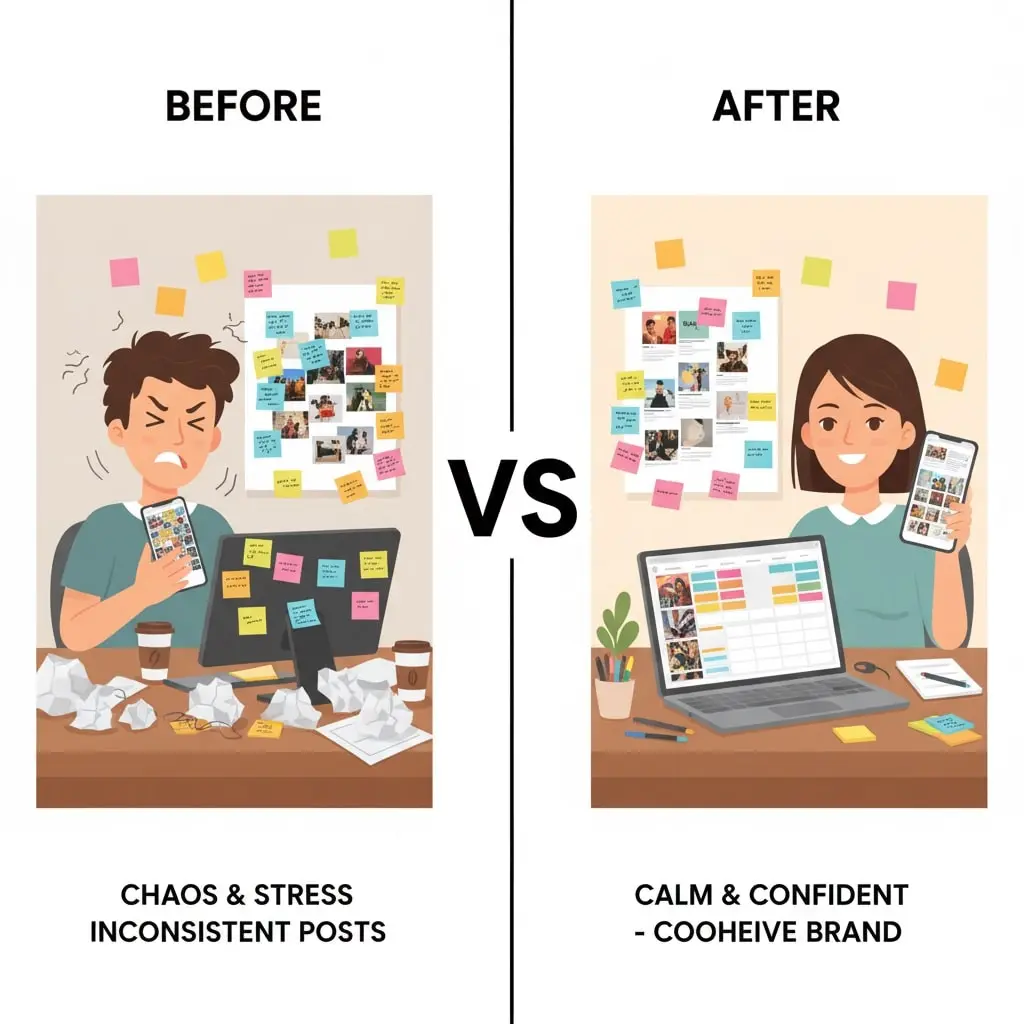
Creating an Instagram content calendar that actually works isn’t about perfection – it’s about consistency, strategy, and continuous improvement. By following the steps in this guide, you’ll transform your Instagram presence from reactive and chaotic to proactive and strategic.
Here’s your action plan to get started today:
- This week: Audit your current Instagram performance and define your 3-5 content pillars
- Week 2: Choose your content calendar tool and create your template
- Week 3: Brainstorm 30 content ideas and schedule important dates
- Week 4: Batch create your first month of content and schedule it
Remember, the best content calendar is the one you’ll actually use. Start simple, stay consistent, and refine as you go. Your future self (and your growing Instagram account) will thank you.