50+ Instagram Highlight Ideas to Transform Your Profile in 2025
Your Instagram profile is your digital storefront, and Story Highlights are the window displays that capture attention. Whether you’re a business owner, content creator, or personal brand, having strategic Instagram highlight ideas can dramatically increase profile engagement and convert visitors into followers. In this comprehensive guide, you’ll discover over 50 creative Instagram highlight ideas that will transform your profile and showcase your best content 24/7.
Table of Contents
What Are Instagram Highlights and Why Do They Matter?
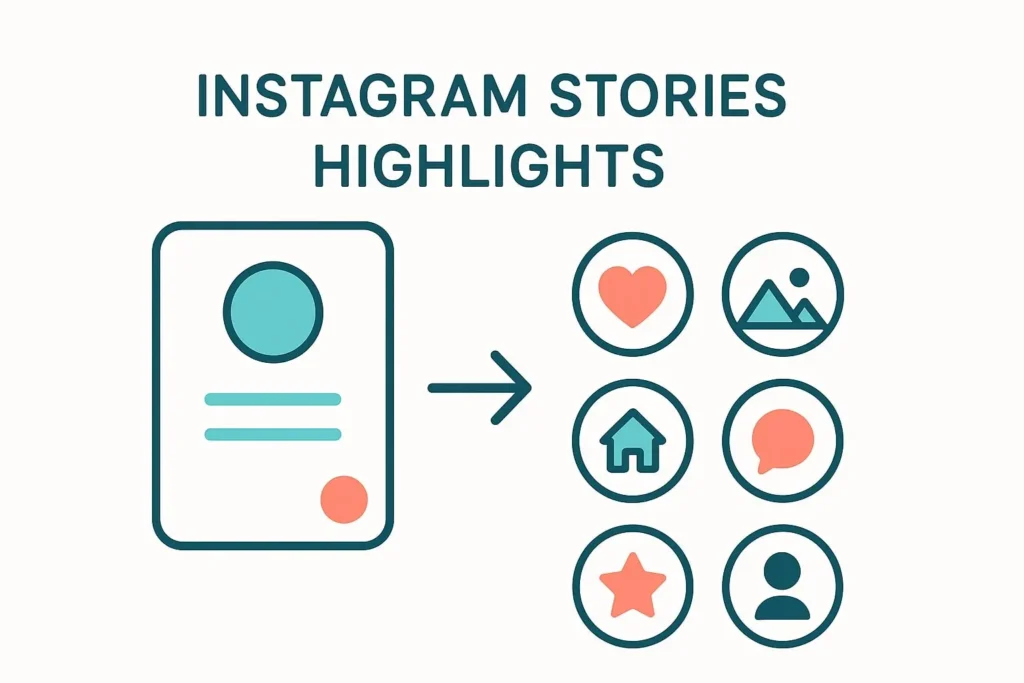
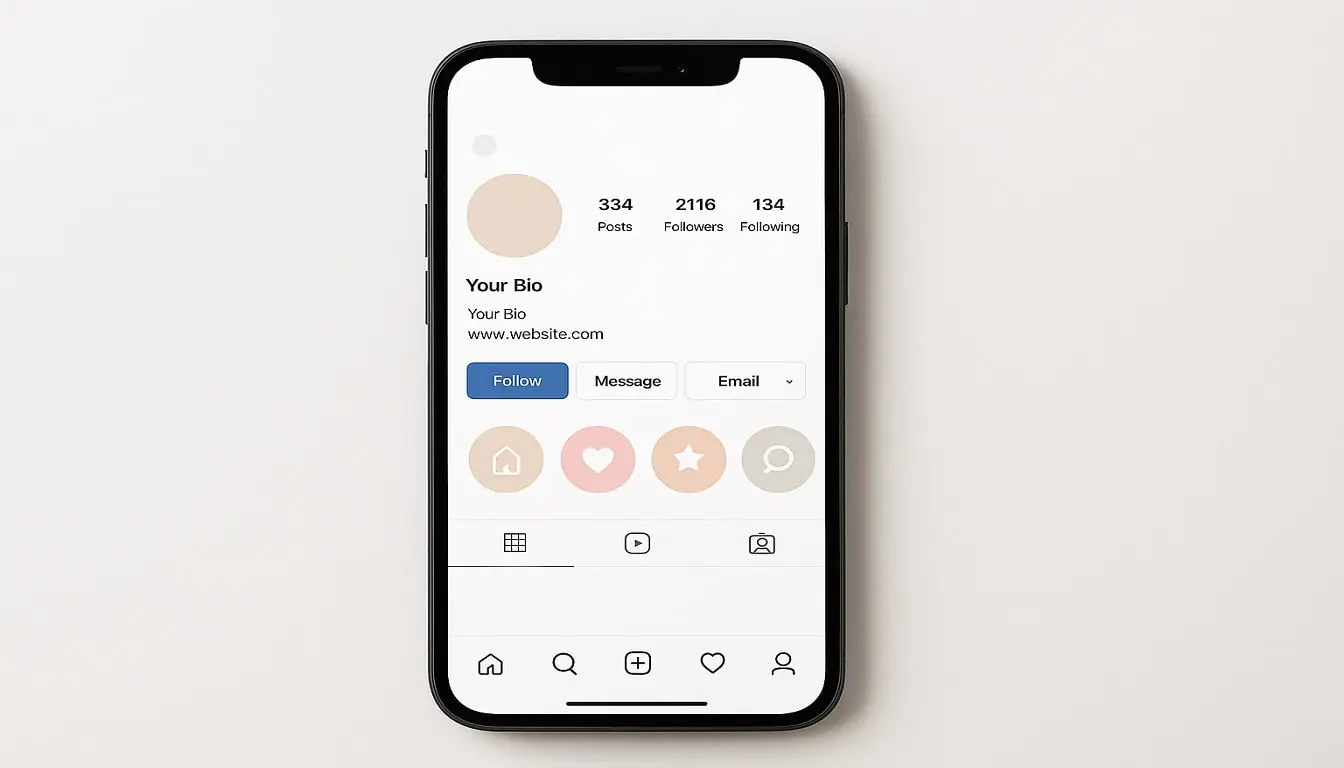
Instagram Highlights are curated collections of your Stories that live permanently on your profile, positioned prominently between your bio and feed. Unlike regular Stories that disappear after 24 hours, Highlights allow you to showcase evergreen content that represents your brand, products, or personality. According to Instagram’s official guidelines, these permanent Story collections serve multiple purposes…”
The Power of Strategic Highlights
Profiles with well-organized Highlights see 30% more profile visits and 25% higher conversion rates. These permanent Story collections serve multiple purposes: they answer frequently asked questions, showcase products, build trust through testimonials, and guide new visitors through your content. When you implement the right Instagram highlight ideas, you create an organized, professional profile that tells your story at a glance.
How to Create Instagram Highlights (Quick Tutorial)

Before diving into our Instagram highlight ideas, here’s how to create them:
- Post a Story – Share content to your Instagram Story
- Archive or Save – After 24 hours, it moves to your archive
- Create Highlight – Tap your profile, click the “+” button below your bio
- Select Stories – Choose archived Stories to include
- Name and Design – Add a title and custom cover image
- Publish – Your Highlight appears on your profile
Pro tip: You can create Highlights without posting to your Story by creating Stories, archiving them immediately, then adding them to Highlights.
50+ Best Instagram Highlight Ideas for 2025
For Personal Brands & Influencers
1. About Me Create an introduction Highlight sharing your story, mission, and what followers can expect. This is one of the most essential Instagram highlight ideas for building personal connection.
2. Daily Life/Lifestyle Share behind-the-scenes moments, daily routines, and authentic glimpses into your world. This helps humanize your brand and create deeper connections.
3. Travel Adventures Organize travel content by destination or create a general travel Highlight showcasing your adventures. Include tips, recommendations, and stunning location shots.
4. Favorites/Recommendations Share product recommendations, favorite books, must-visit restaurants, or tools you use. These Instagram highlight ideas position you as a trusted resource.
5. Fitness Journey Document workouts, progress photos, fitness tips, and healthy recipes. This works exceptionally well for health and wellness creators.
6. Fashion/OOTD (Outfit of the Day) Showcase your style with outfit inspiration, fashion hauls, and styling tips. Organize by season or occasion.
7. Beauty Routine Share skincare routines, makeup tutorials, product reviews, and beauty transformations. Include before-and-after content for maximum impact.
8. Goals & Motivation Inspire followers with motivational quotes, goal-setting strategies, and personal achievement milestones.
9. Q&A Sessions Save questions from followers and your answers. This is one of the most engaging Instagram highlight ideas for building community.
10. Collaborations Highlight partnerships, brand collaborations, and features. This builds credibility and showcases your professional work.
For Business Accounts & Entrepreneurs

11. Products/Services Create dedicated Highlights for each product line or service category. Include features, benefits, and pricing information.
12. New Arrivals Showcase latest products, seasonal collections, or service updates. Keep this Highlight fresh and updated regularly.
13. Customer Reviews/Testimonials Build trust by sharing customer feedback, success stories, and five-star reviews. Social proof is incredibly powerful.
14. How-To Guides/Tutorials Educate your audience with step-by-step tutorials on using your products or services. Educational Instagram highlight ideas establish expertise.
15. FAQs (Frequently Asked Questions) Answer common questions about shipping, returns, pricing, or services. This reduces customer service inquiries.
16. Behind the Scenes Show your workspace, team members, production process, or day-to-day operations. Transparency builds trust.
17. Sales & Promotions Announce special offers, discount codes, flash sales, and seasonal promotions. Create urgency and drive conversions.
18. Press & Features Showcase media mentions, awards, publications, and recognition. This establishes authority and credibility.
19. Customer Spotlight Feature customers using your products or services. User-generated content is highly valuable social proof.
20. Company Culture/Team Introduce team members, celebrate milestones, and share company values. Humanize your business brand.
For Content Creators & Coaches
21. Free Resources Share valuable freebies, downloadable guides, checklists, or templates. This is one of the most lead-generating Instagram highlight ideas.
22. Success Stories Showcase client transformations, case studies, and results. Demonstrate the value you provide.
23. Tips & Tricks Organize quick tips related to your niche. Create different Highlights for various tip categories.
24. Live Sessions Save and organize past Instagram Lives, workshops, or webinars for those who missed them.
25. Podcast Episodes If you have a podcast, create Highlights promoting episodes with key takeaways and links.
26. Blog Posts Drive traffic to your blog by creating Story Highlights that tease your best articles with swipe-up links.
27. Courses & Programs Promote your paid offerings with dedicated Highlights explaining curriculum, pricing, and testimonials.
28. Speaking Engagements Showcase conferences, workshops, or events where you’ve spoken. Builds authority and expertise.
29. Media Kit Create a professional media kit Highlight with stats, demographics, and collaboration information for brands.
30. Tools & Resources Share software, apps, books, or equipment you recommend. Affiliate links can generate passive income.
For E-commerce & Retail Brands
31. Shop by Category Organize products into Highlights by type, such as “Jewelry,” “Accessories,” “Home Decor,” etc.
32. Gift Guides Create seasonal or occasion-based gift guides. These Instagram highlight ideas perform exceptionally well during holidays.
33. Styling Ideas Show different ways to use or style your products. Help customers visualize products in their lives.
34. Shipping & Returns Provide clear information about policies, processing times, and international shipping options.
35. Sustainability/Ethics Share your brand values, ethical practices, sustainable materials, or charitable initiatives.
36. Unboxing Experience Showcase your packaging, unboxing videos, and the complete customer experience from delivery to first use.
37. Size Guide Help customers choose the right size with measurement guides, fit videos, and size comparison content.
38. Product Care Educate customers on maintaining and caring for products to extend their lifespan and satisfaction.
39. Wholesale Information If you offer wholesale, create a dedicated Highlight with terms, minimums, and application process.
40. Limited Editions Build anticipation and urgency around exclusive or limited-time products. Archive past launches for FOMO effect.
For Service Providers & Freelancers
41. Portfolio/Work Samples Showcase your best work, before-and-after transformations, or completed projects. Visual proof sells services.
42. Pricing Packages Clearly outline service tiers, what’s included, and investment levels. Transparency attracts ideal clients.
43. Booking Process Walk potential clients through how to work with you, from inquiry to project completion.
44. Client Onboarding Create a Highlight explaining what new clients should expect, required information, and timelines.
45. Awards & Certifications Display professional credentials, industry certifications, and recognition. Establishes trust and expertise.
Creative & Niche Instagram Highlight Ideas
46. Recipes/Food Perfect for food bloggers and restaurants. Organize by meal type, cuisine, or dietary preferences.
47. Pets/Animals Dedicated content featuring furry friends. Pet content consistently generates high engagement.
48. Events & Celebrations Document birthdays, weddings, launches, or special occasions. Great for event planners and personal brands.
49. Challenges & Campaigns Create Highlights for Instagram challenges, hashtag campaigns, or community initiatives you’re leading.
50. Seasonal Content Organize content by season or holiday. Archive previous seasons to create a content library.
51. Giveaways & Contests Archive past giveaways with winners and rules. Shows legitimacy and encourages future participation.
52. Causes & Advocacy Share content about social causes you support, charitable work, or advocacy efforts. Attracts like-minded followers.
53. Learning Journey Document your educational path, courses taken, or skills acquired. Inspires followers and demonstrates growth.
54. Throwbacks/Memories Share nostalgic content, old photos, or milestone anniversaries. Storytelling creates emotional connections.
How to Organize Your Instagram Highlights Effectively
Strategic Placement Matters
The first three to four Highlights are most visible on mobile devices without scrolling. Place your most important Instagram highlight ideas in these prime positions based on your goals:
- For Businesses: Products, Services, Testimonials, FAQs
- For Creators: About Me, Free Resources, Portfolio, Contact
- For Personal Brands: Introduction, Daily Life, Collaborations, Q&A
Naming Best Practices
Highlight names are limited to 15 characters, so be concise and clear. Use recognizable terms your audience will understand immediately. Avoid creative names that confuse visitors about the content inside.
Update Regularly
Stale Highlights hurt credibility. Review and update your Highlights monthly, removing outdated content and adding fresh Stories. Active Highlights signal an engaged, current account.
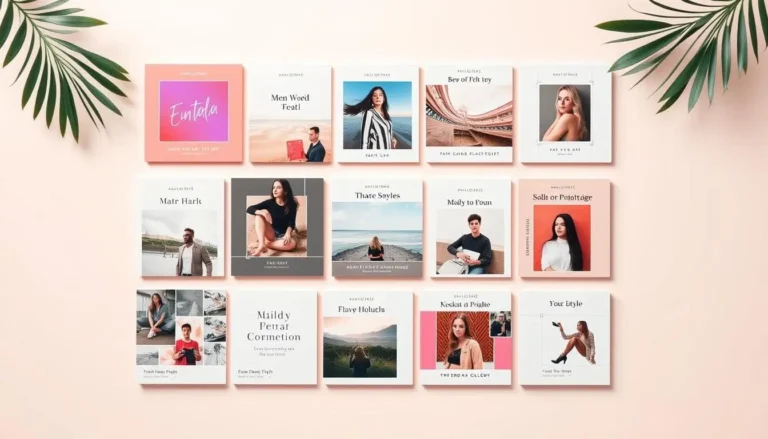
Creating Branded Highlight Covers

Custom covers make your profile look professional and cohesive. Here’s how to create them:
Design Tips for Highlight Covers
- Consistent Style: Use the same color palette, fonts, and design style across all covers
- Brand Colors: Incorporate your brand colors for instant recognition
- Simple Icons: Clear, minimalist icons work best at small sizes
- High Contrast: Ensure icons are visible against backgrounds
- Square Format: Design at 1080×1080 pixels for perfect circles
Tools for Creating Covers
- Canva: Offers free Instagram Highlight templates
- Adobe Express: Professional design options
- Over: Mobile app with easy-to-use templates
- Unfold: Minimalist design aesthetic
Pro tip: Create a cover template in your brand style, then duplicate and modify it for each Highlight category. This ensures consistency.
For additional design inspiration and tutorials, check out Canva’s Design School which offers free resources on color theory, typography, and visual branding.
Instagram Highlight Ideas by Industry
Restaurants & Food Services
Implement these Instagram highlight ideas to showcase your menu, ambiance, and customer experiences. Create Highlights for “Menu,” “Specials,” “Reservations,” “Reviews,” “Behind Kitchen,” and “Events.”
Real Estate Agents
Feature “Listings,” “Sold Properties,” “Buyer Tips,” “Seller Tips,” “Neighborhood Guides,” “Virtual Tours,” and “Client Testimonials.”
Fitness Trainers
Organize content into “Workouts,” “Nutrition,” “Transformations,” “Programs,” “Free Resources,” “Gym Tours,” and “Client Wins.”
Wedding Planners
Create Highlights for “Real Weddings,” “Venues,” “Vendors,” “Planning Tips,” “Packages,” “Testimonials,” and “FAQs.”
Photographers
Showcase “Portfolio,” “Packages,” “Booking Info,” “BTS,” “Client Love,” “Equipment,” and category-specific work like “Weddings” or “Newborns.”
Maximizing Engagement with Your Highlights
Add Interactive Elements
Use polls, questions, quizzes, and sliders in your Story Highlights. Interactive content increases engagement rates by up to 40%, even when viewed from archived Highlights.
Include Clear CTAs
Every Highlight should guide viewers toward an action. Whether it’s “Shop Now,” “Book Appointment,” “Learn More,” or “DM for Info,” clear calls-to-action convert browsers into customers.
Track Performance
Monitor which Highlights get the most views in your Instagram Insights. Double down on popular topics and reconsider underperforming ones. Let data guide your Instagram highlight ideas strategy.
Common Mistakes to Avoid
Mistake #1: Too Many Highlights
Having 15+ Highlights overwhelms visitors. Aim for 5-10 well-organized categories. Quality over quantity creates better user experience.
Mistake #2: Inconsistent Branding
Random cover styles look unprofessional. Invest time in creating cohesive, branded covers that match your overall aesthetic.
Mistake #3: Outdated Content
Highlights featuring old promotions, expired offers, or irrelevant information damage credibility. Regular audits are essential.
Mistake #4: No Strategic Order
Random organization confuses visitors. Arrange Highlights intentionally based on what you want viewers to see first.
Mistake #5: Overloading Individual Highlights
Each Highlight should contain 10-15 Stories maximum. Too many Stories in one Highlight discourage viewers from watching through.
Advanced Strategies for Instagram Highlights
Create a Highlight Content Calendar
Plan your Instagram highlight ideas strategically with a content calendar. Schedule when to update each category, rotate seasonal content, and refresh outdated material.
A/B Test Highlight Covers
Experiment with different cover designs to see what generates more views. Try text-based versus icon-based, different color schemes, or varying levels of detail.
Repurpose Evergreen Content
Don’t let great content disappear. Identify high-performing Stories and strategically place them in relevant Highlights for extended visibility.
Use Highlights for Lead Generation
Create “Freebie” or “Download” Highlights that offer valuable resources in exchange for email addresses. Drive traffic to landing pages with link stickers.
Collaborate and Cross-Promote
Feature collaboration partners in dedicated Highlights. Tag brands and creators, increasing your visibility to their audiences.
Instagram Highlight Ideas for Different Goals
Goal: Increase Sales
Focus on Instagram highlight ideas like “Products,” “Testimonials,” “Sales,” “How to Buy,” and “Gift Ideas.” Make the purchasing journey frictionless.
Goal: Build Community
Create Highlights for “Community,” “User Content,” “Q&A,” “Challenges,” and “Member Spotlights.” Foster connection and belonging.
Goal: Establish Authority
Emphasize “Press,” “Speaking,” “Podcast,” “Tips,” “Case Studies,” and “Certifications.” Position yourself as the expert.
Goal: Generate Leads
Prioritize “Free Resources,” “Masterclass,” “Quiz,” “Consultation,” and “Newsletter.” Capture contact information strategically.
Technical Best Practices
Optimal Story Specifications
- Dimensions: 1080 x 1920 pixels (9:16 aspect ratio)
- File Size: Under 30MB for videos
- Video Length: 15 seconds per Story segment
- Text Safe Zone: Keep text within center 1080 x 1420 pixels
Accessibility Considerations
Add text overlays and captions to video content. Use high contrast for readability. Consider colorblind-friendly palettes. Accessibility expands your audience.
Loading Speed
Compress images and videos to ensure fast loading. Slow-loading Highlights cause viewers to abandon before watching.
Future-Proofing Your Highlight Strategy
Stay Updated with Platform Changes
Instagram regularly updates features and algorithm. Follow official Instagram accounts and social media news sources to adapt your Instagram highlight ideas accordingly.
Embrace Video Content
With the rise of Reels and video-first content, incorporate more dynamic video Stories into your Highlights rather than static images.
Integrate with Other Platforms
Promote your Instagram Highlights on other social platforms, email newsletters, and website. Cross-platform promotion maximizes visibility.
AI and Automation Tools
Leverage AI-powered design tools, automated posting schedulers, and analytics platforms to streamline your Highlight creation and management process.
Frequently Asked Questions About Instagram Highlight Ideas
What are Instagram Highlights and how do they work?
Instagram Highlights are permanent collections of your Stories that remain on your profile indefinitely. Unlike regular Stories that disappear after 24 hours, Highlights allow you to curate and organize your best content into categories that visitors can view anytime. They appear as circular icons directly below your bio, making them one of the first things people see when visiting your profile. To create a Highlight, simply post a Story, then after 24 hours (or immediately from your archive), tap your profile picture, click the “+” button, and select which Stories to include. You can organize them by theme, topic, or purpose, making it easy for visitors to find exactly what they’re looking for on your profile.
How many Instagram Highlights should I have on my profile?
The optimal number is between 5-10 Highlights for most accounts. Having too few makes your profile look empty and underutilized, while too many can overwhelm visitors and make navigation difficult. Focus on quality over quantity by selecting the most important Instagram highlight ideas that align with your specific goals and audience needs. Remember, only the first 3-4 Highlights are visible without scrolling on mobile devices, so prioritize your most important categories in those positions.
Can I create Instagram Highlights without posting Stories first?
Yes! You can create Highlights without making Stories public to your followers. Simply create your Story content as normal, then before it posts to your live Story, tap the three dots in the bottom right corner and select “Story Settings.” Turn on “Save to Archive” if it isn’t already enabled, then immediately archive the Story by tapping the three dots again and selecting “Archive.”
How do I make custom covers for my Instagram Highlights?
Create custom covers using design tools like Canva, Adobe Express, or Photoshop for a professional, branded look. Start by designing square images at 1080×1080 pixels with your icons, text, or graphics centered in the middle. Use your brand colors and consistent design elements across all covers to create visual cohesion. Save the completed designs to your camera roll, then post them as Instagram Stories. You can immediately archive or delete these cover Stories after posting—they’ve already been saved to your archive. visitors.
What size should Instagram Highlight covers be?
Instagram Highlight covers should be designed at 1080 x 1080 pixels in a square format, even though they ultimately display as circles on your profile. Instagram automatically crops these square images into circular thumbnails, so it’s crucial to keep all important design elements—icons, text, logos, or graphics—centered within a safe zone of approximately 600 x 600 pixels in the middle of your design.
How often should I update my Instagram Highlights?
Review and update your Highlights at least once a month to keep them current, relevant, and engaging. Remove outdated content such as expired promotions, old pricing information, past events, or any information that’s no longer accurate or relevant to your audience. Add fresh, recent Stories that keep your Highlights dynamic and valuable. Seasonal Instagram highlight ideas should be updated quarterly—swap out summer content for fall themes, holiday promotions, or seasonal products as appropriate.
Conclusion
Implementing strategic Instagram highlight ideas transforms your profile from a simple feed into a comprehensive brand showcase. The 50+ ideas in this guide provide a foundation for creating Highlights that engage visitors, answer questions, showcase products, and convert profile visitors into loyal followers and customers.
Start by selecting 5-7 Instagram highlight ideas most relevant to your goals. Create branded covers, organize your best content, and arrange them strategically on your profile. Update regularly, track performance, and refine your approach based on what resonates with your audience.
Your Instagram Highlights are working for you 24/7, even when you’re sleeping. Make them count. Which Instagram highlight ideas will you implement first?