Instagram Reels Canva Templates: Create Viral Content in 5 Minutes (2025)
Are you spending hours trying to create eye-catching Instagram Reels, only to feel frustrated with the results? You’re not alone. With over 2 billion monthly active users on Instagram, standing out with Reels content has never been more challenging—or more important.
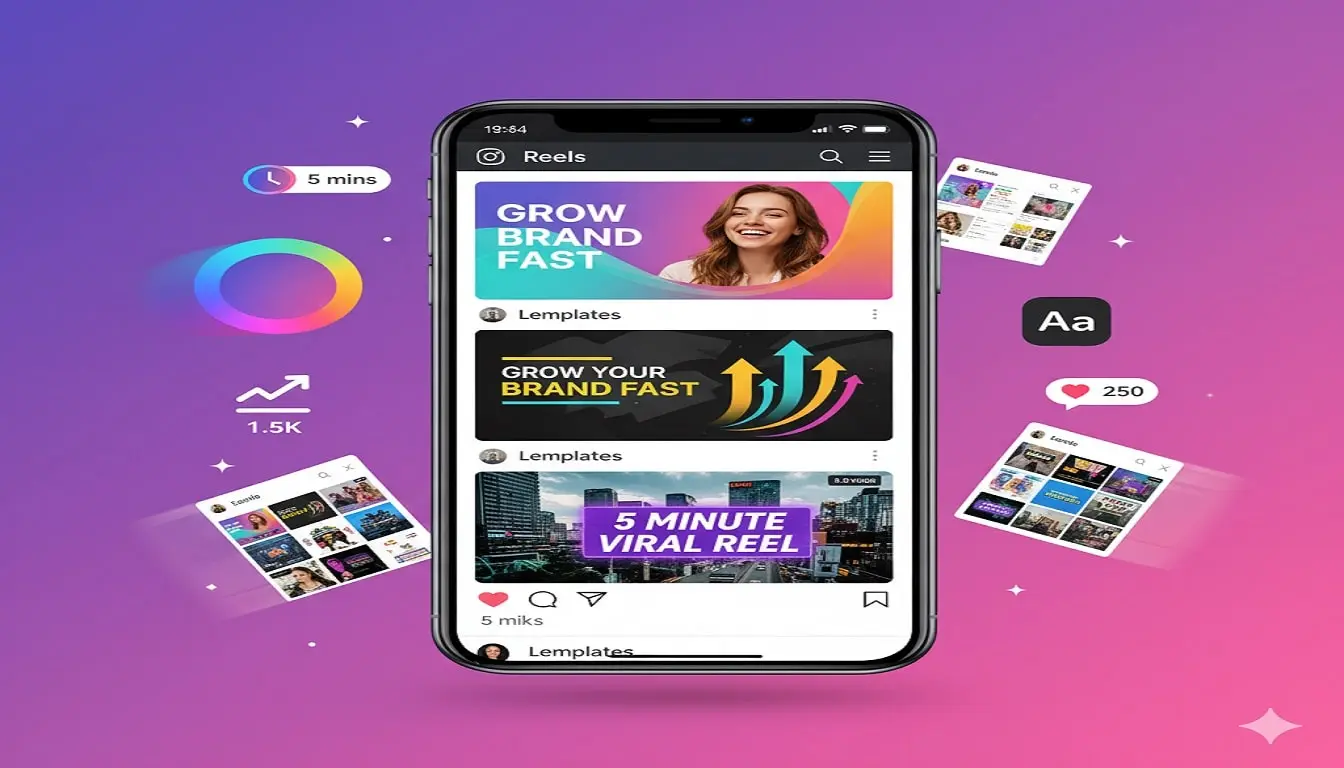
The good news? Instagram Reels Canva templates can transform your content creation process from hours of work to just minutes. In this comprehensive guide, you’ll discover how to leverage ready-made templates to create viral-worthy Reels that captivate your audience and grow your brand.
Table of Contents
Why Instagram Reels Matter in 2025
Before diving into templates, let’s understand why Reels deserve your attention:
Instagram Reels receive 22% more engagement than regular video posts. The algorithm heavily favors Reels content, pushing it to non-followers through the Explore page and Reels tab. For businesses and content creators, this means unprecedented organic reach without spending a dollar on ads.
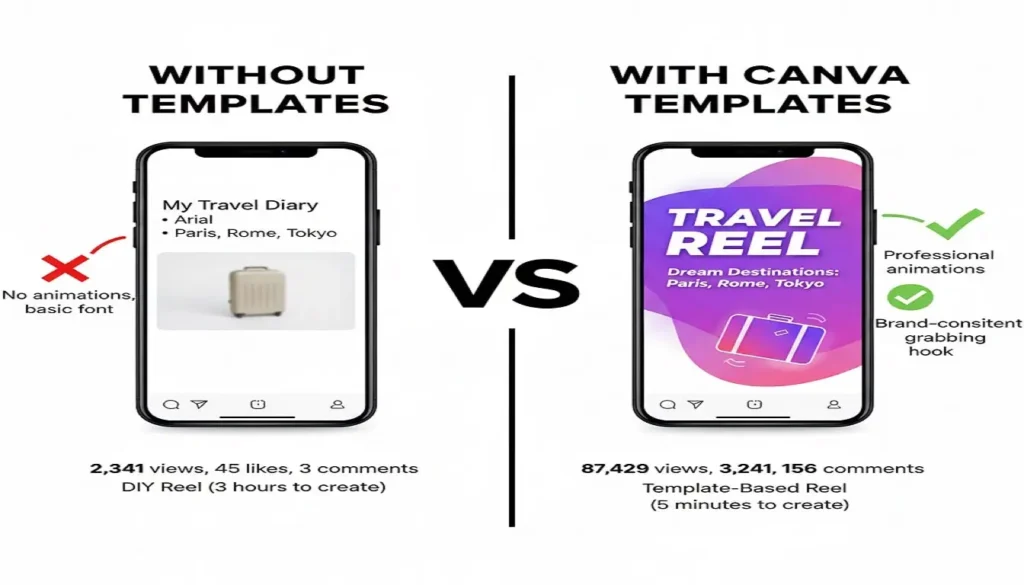
The challenge? Creating consistent, high-quality Reels requires design skills, video editing expertise, and significant time investment. This is exactly where Instagram Reels Canva templates become your secret weapon.
What Are Instagram Reels Canva Templates?
Instagram Reels Canva templates are pre-designed, fully customizable video templates that you can edit directly in Canva. These templates include:
- Animated text overlays that grab attention in the first 3 seconds
- Trendy transitions that keep viewers watching
- Brand-consistent color schemes you can customize
- Music-synced animations for professional polish
- Hook-focused opening frames to stop the scroll
The best part? No video editing experience required. If you can type and drag-and-drop, you can create professional Reels.
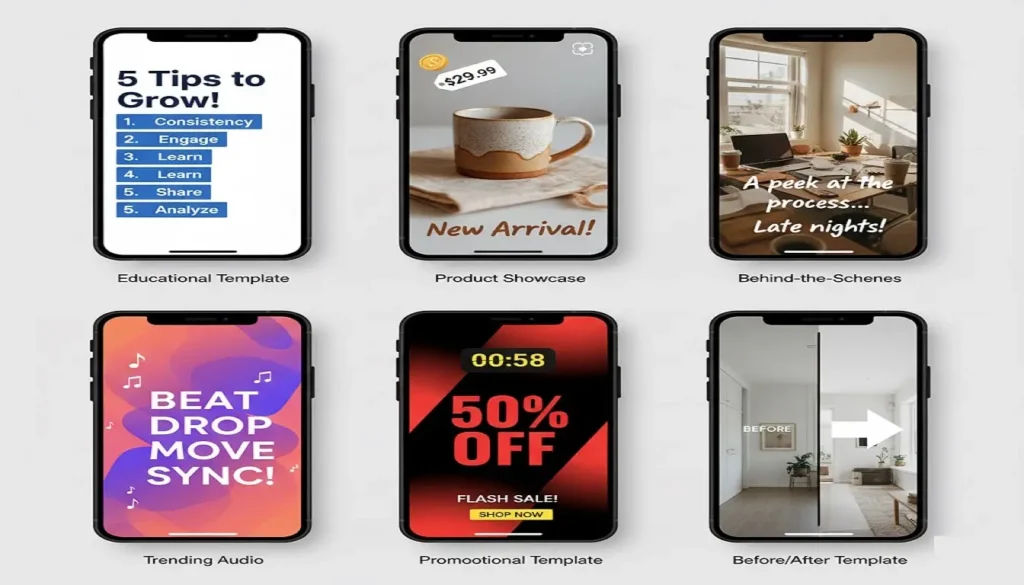
Types of Instagram Reels Canva Templates You Need
1. Educational Reels Templates
Educational content consistently performs well on Instagram. These templates work perfectly for:
- Quick tips and tutorials (3-5 point format)
- Before and after transformations
- Myth-busting content
- Step-by-step guides
- “Did you know?” facts
Template Features: Bold headlines, numbered sequences, arrow animations, and call-out boxes that emphasize key information.
2. Product Showcase Templates
Perfect for e-commerce brands and service providers:
- Product feature highlights
- Multiple product carousels
- Customer testimonial formats
- Limited-time offer announcements
- New arrival reveals
Template Features: Product-focused frames, price tag animations, swipe-up prompts, and urgency-building countdown timers.
3. Behind-the-Scenes Templates
Humanize your brand with authentic content:
- Day-in-the-life formats
- Process reveals
- Team introductions
- Workspace tours
- Packaging and shipping sequences
Template Features: Casual fonts, candid photo frames, music beat markers, and authentic-feeling transitions.
4. Trending Audio Templates
Capitalize on viral sounds:
- Lip-sync formats
- Trend participation layouts
- Challenge templates
- Dance or movement frames
- Audio-synced text reveals
Template Features: Beat-matched animations, trending format layouts, and music wave visualizers.
5. Promotional Templates
Drive sales and conversions:
- Flash sale announcements
- Discount code reveals
- Event promotions
- Lead magnet offers
- Product launch countdowns
Template Features: Bold CTAs, swipe-up indicators, promo code displays, and urgency-building elements.
How to Use Instagram Reels Canva Templates (Step-by-Step)

Step 1: Choose Your Template
Select a template that matches your content goal. Consider your brand aesthetic and the message you want to convey. Pro tip: Start with educational or promotional templates as they typically generate the highest engagement.
Step 2: Customize Colors and Fonts
Replace template colors with your brand palette. Canva makes this easy with the color replacement tool. Update fonts to match your brand guidelines, but avoid using more than 2-3 font styles per Reel to maintain visual cohesion.
Step 3: Add Your Content
Replace placeholder text with your message. Keep text concise—viewers should be able to read each frame in 1-2 seconds. Use active voice and speak directly to your audience.
Step 4: Insert Your Media
Swap template photos/videos with your own content. Ensure your images are high resolution (minimum 1080×1920 pixels for optimal quality). Maintain visual consistency across frames.
Step 5: Adjust Timing
Preview your Reel and adjust the duration of each scene. The ideal Reel length in 2025 is 7-15 seconds for maximum engagement, though educational content can extend to 30-60 seconds.
Step 6: Add Music
Select from Canva’s audio library or upload trending Instagram audio. Ensure your animations sync with music beats for professional polish. This small detail dramatically increases perceived quality.
Step 7: Export and Upload
Download as MP4 video (1080×1920 pixels). Upload directly to Instagram and add relevant hashtags (8-12 is optimal). Include a compelling caption that complements your Reel content.
10 Pro Tips for Creating Viral Reels with Templates
1. Hook Within 1 Second
Your opening frame determines whether viewers keep watching. Use bold statements, surprising facts, or provocative questions immediately.
2. Use the 3-Second Rule
Every 3 seconds, something should change—new text, new image, or new animation. This maintains attention and reduces drop-off rates.
3. Add Captions Always
85% of social media videos are watched without sound. Always include text overlays or captions to accommodate silent viewing.
4. Leverage Trending Formats
Monitor what’s working in your niche. Adapt successful formats with your own templates rather than reinventing the wheel.
5. Maintain Brand Consistency
While templates provide variety, maintain consistent colors, fonts, and style across your Reels to build brand recognition.
6. Batch Create Content
Edit 5-10 Reels in one sitting using different templates. This workflow saves time and ensures consistent posting schedules.
7. Test Different Styles
Don’t stick to one template type. Rotate between educational, promotional, and entertaining formats to keep your audience engaged.
8. Optimize for Mobile Viewing
Preview your Reel on a mobile device before posting. Text should be readable, and important elements shouldn’t be cut off by interface elements.
9. Include Clear CTAs
Every Reel should have a purpose. Tell viewers exactly what to do next: visit your profile, save the post, share with friends, or click the link in bio.
10. Analyze Performance
Track which template styles generate the most engagement. Double down on what works and eliminate underperforming formats.
Where to Find Quality Instagram Reels Canva Templates
Free Options
Canva offers hundreds of free Instagram Reels templates in their template library. Search “Instagram Reels” to access basic designs perfect for beginners.
Premium Canva Pro Templates
Canva Pro subscribers access thousands of advanced templates with premium animations, transitions, and design elements. The investment ($12.99/month) pays for itself in time saved.
Specialized Template Shops
Independent designers create niche-specific template bundles for coaches, e-commerce brands, real estate agents, and more. These often provide better customization and unique styles not available in Canva’s library.
Best Canva Templates: https://www.ebookreader.io/templates/
Common Mistakes to Avoid
Overcrowding Frames
Less is more. Each frame should communicate one clear idea. Cluttered designs confuse viewers and reduce engagement.
Ignoring Aspect Ratio
Always use 9:16 vertical format (1080×1920 pixels). Horizontal or square videos appear smaller and perform poorly.
Using Too Many Effects
Excessive animations distract from your message. Stick to 2-3 transition styles per Reel for professional results.
Forgetting to Preview
Always preview your entire Reel before posting. Check for timing issues, typos, and awkward transitions.
Neglecting Audio Quality
If you’re recording voiceover, invest in a decent microphone. Poor audio quality kills otherwise great content.
Instagram Reels Success Metrics to Track
Monitor these KPIs to measure template effectiveness:
- Completion Rate: Percentage who watch your entire Reel
- Share Rate: How often viewers share your content
- Saves: Indicates valuable, reference-worthy content
- Comments: Shows engagement and conversation
- Profile Visits: Measures conversion intent
- Website Clicks: Ultimate conversion metric
Templates that generate high completion rates and shares are worth reusing and adapting.
Future-Proofing Your Reels Strategy
Instagram’s algorithm constantly evolves, but these principles remain constant:
Quality over quantity always wins. Post 3-4 exceptional Reels weekly rather than daily mediocre content.
Authenticity matters more than perfection. Templates provide structure, but your unique voice and perspective drive connection.
Consistency builds momentum. Regular posting trains the algorithm and builds audience expectations.
Adaptation is essential. Stay updated on platform changes and trending formats. What works today may need adjustment tomorrow.
Frequently Asked Questions (FAQs)
How many Instagram Reels should I post per week?
Post 3-5 Reels weekly for optimal algorithm performance without overwhelming your audience. Consistency matters more than frequency.
Can I use the same template multiple times?
Yes, but customize colors, text, and images each time. Viewers appreciate consistent branding but want varied content.
Do I need Canva Pro to use Reels templates?
No, but Canva Pro unlocks premium templates, animations, and features that significantly enhance quality. The free version works fine for beginners.
What’s the ideal length for Instagram Reels in 2025?
7-15 seconds for entertainment and promotional content, 30-60 seconds for educational or storytelling Reels.
How do I make my Reels go viral?
Focus on hooks, use trending audio, post during peak hours (11am-1pm and 7pm-9pm), and encourage engagement in your captions.
Should I add hashtags to Reels?
Yes, use 8-12 relevant hashtags mixing popular (#instagramreels) and niche-specific tags. Place them in your caption or first comment.
Take Action: Start Creating Today
Stop spending hours on Reels that don’t perform. Instagram Reels Canva templates give you the professional edge needed to stand out in crowded feeds—without requiring design skills or expensive software.
The creators and brands winning on Instagram aren’t necessarily more talented; they’re simply more efficient with their time and strategic with their tools.
Ready to transform your Instagram Reels strategy?