Unlock How to Use Instagram Stories for Marketing: 5 Brilliant Tactics
In the fast-paced world of social media, Instagram Stories have emerged as an undeniable king of engagement. With over 500 million daily active users, this ephemeral format is not just a playground for personal sharing; it’s a critical tool in any modern marketer’s arsenal. If you’re not strategically leveraging Stories, you’re missing a golden opportunity to connect with your audience in an authentic and impactful way.
But simply posting isn’t enough. The real magic happens when you move from casual sharing to strategic execution. This comprehensive guide will unlock exactly how to use Instagram Stories for marketing effectively. We’re moving beyond the basics to dive into five brilliant, actionable tactics that will transform your Stories from an afterthought into your most powerful marketing channel. Get ready to boost engagement, build a loyal community, and drive real business results.
Table of Contents
The Foundation: Setting Up Your Instagram Stories for Success
Before we dive into the advanced tactics, let’s ensure your foundation is rock-solid. A successful Instagram Stories for marketing strategy requires more than just great content; it needs the right setup.
- Optimize Your Profile: Your bio is the gateway from your Story to a conversion. Ensure your bio link is up-to-date and uses a tool like Linktree or Later’s Linkin.bio to create a centralized landing page for multiple links driven from your Stories.
- Master the Aesthetics: Use consistent brand fonts, colors, and stickers. Instagram allows you to save preferred text styles, making it easy to maintain a cohesive and recognizable brand identity across all your Stories.
- Understand Your Analytics: Navigate to your Instagram Insights and tap “Content You Shared.” Here, you can see detailed metrics for your Stories, including exits, replies, and reach. Tracking this data is crucial for understanding what resonates with your audience. According to a report by Social Media Today, the format’s popularity shows no signs of slowing, making mastery essential.
Tactic #1: Leverage the Power of Interactive Stickers
Interactive stickers are the simplest way to transform your Stories from a monologue into a dynamic conversation. They are the engine of engagement for Instagram Stories.
- The Poll Sticker: Use it for more than “this or that.” Ask for feedback on new product designs, gauge interest in a blog topic, or let your audience vote on what you should post next. This provides invaluable qualitative data.
- The Question Sticker: This is your direct line to your audience. Use it for “Ask Me Anything” (AMA) sessions, to gather user-generated content (e.g., “What’s your favorite way to use our product?”), or to understand customer pain points.
- The Quiz Sticker: Perfect for educating your audience and testing their knowledge. Create quizzes about your industry, product features, or company history. It’s a fun, low-commitment way to increase brand recall.
- The Emoji Slider: This sticker is excellent for measuring sentiment. Ask “How excited are you for our launch?” and let users slide the emoji to show their level of excitement. It’s highly visual and engaging.
Pro Tip: Always reply to the answers and interactions you receive! This closes the feedback loop and makes your followers feel heard, fostering a stronger community.
Tactic #2: Drive Traffic with the “Swipe-Up” Link and Shopping Stickers
The ultimate goal for many marketers is to move traffic from Instagram to a owned platform. While the “Swipe-Up” feature was originally for accounts with 10k+ followers, Instagram has now rolled out the Link Sticker to all users, democratizing traffic driving.
- Strategic Linking: Don’t just link to your homepage. Create a specific destination for your Story. Link to a new blog post, a product page, a registration form for a webinar, or a special landing page with an exclusive offer.
- Create a Compelling CTA: A link alone isn’t enough. You must guide your audience. Use clear, action-oriented language like “Swipe up to read our latest guide,” “Tap the link to get 20% off,” or “Get the free template here.”
- Utilize Shopping Stickers: If you have an Instagram Shop, this is non-negotiable. Tag your products directly in your Stories. Show them in action, showcase new arrivals, or create “Get the Look” style Stories. When users tap the sticker, they see the product name, price, and can proceed directly to checkout without leaving the app. As highlighted by Instagram’s own business blog, this creates a seamless path to purchase.
Tactic #3: Harness Authenticity with User-Generated Content (UGC) and Takeovers
Authenticity is the currency of social media. Nothing builds trust faster than showing real people using and loving your brand.
- Feature UGC in Stories: Create a branded hashtag and encourage your customers to use it. Regularly feature the best photos and videos on your own Story (always crediting the original creator!). This not only provides you with free, authentic content but also makes your customers feel valued and seen.
- Host an Account Takeover: Partner with a brand ambassador, influencer in your niche, or even a valued customer. Let them run your Stories for a day. This gives your audience a fresh perspective and exposes your brand to the takeover host’s followers. It’s a powerful way to build community and cross-promote.
Tactic #4: Create a Series with Highlights and Story Templates
Instagram Stories disappear after 24 hours, but your best content shouldn’t. Instagram Story Highlights allow you to curate and save your most valuable Stories on your profile permanently, turning them into a persistent marketing asset.
- Organize by Topic or Goal: Create clearly labeled Highlight categories. Examples include:
- Testimonials: Social proof for new visitors.
- Tutorials: How-to guides and educational content.
- Products: A catalog of your key offerings.
- Behind the Scenes: Humanize your brand.
- FAQ: Answer common questions to save time.
- Design Cohesive Covers: Create custom icons or graphics for your Highlight covers to give your profile a polished, professional look.
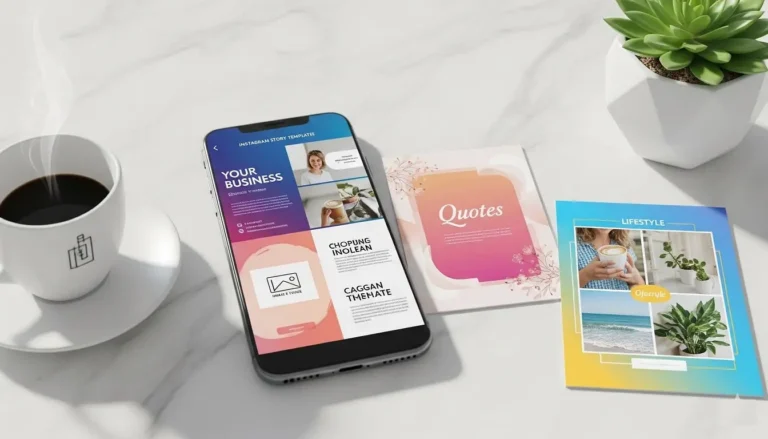
- Develop a Series: Use Stories to run a mini-series over a week (e.g., “3 Days to a Better Email Newsletter”). This builds anticipation and keeps your audience coming back. Using a consistent template for each episode makes the series instantly recognizable.
Tactic #5: Go Behind the Scenes and Show Your Brand’s Personality
People connect with people, not just logos. Instagram Stories are the perfect venue to peel back the curtain and show the human side of your business.
- Introduce Your Team: Do a “Meet the Marketer” or “A Day in the Life” series featuring different team members.
- Share the Process: Show how a product is made, the setup for a big event, or the brainstorming session for a new campaign. This builds value and narrative around your brand.
- Celebrate Milestones: Share your wins, big and small! Did you hit a revenue goal? Hire a new team member? Celebrate it with your audience. They’ll feel like part of your journey.
A study by Stackla found that 86% of consumers believe authenticity is important when deciding what brands they like and support. Behind-the-scenes content is the epitome of authenticity.
Advanced Pro Tips for Maximum Impact
- Use Closed Captions: With the majority of users watching video without sound, adding captions is no longer optional. Use Instagram’s auto-caption sticker or manually add text to ensure your message is received.
- Collaborate with Others: Use the “Collab” feature or simply mention other accounts in your Stories to increase your reach and build industry relationships.
- Run Targeted Story Ads: Don’t just rely on organic reach. Use Instagram Stories Ads to deliver polished, goal-oriented ads to a highly targeted audience, driving specific actions like website visits or conversions.
Conclusion: Your Action Plan for Instagram Stories Dominance
Learning how to use Instagram Stories for marketing is a continuous process of creation, analysis, and adaptation. This powerful format offers an unparalleled mix of reach, engagement, and conversion potential.
Start by implementing these five brilliant tactics:
- Spark conversations with Interactive Stickers.
- Guide traffic and sales with Link & Shopping Stickers.
- Build trust with User-Generated Content.
- Preserve value with Highlights & Series.
- Humanize your brand Behind the Scenes.
The key to success with Instagram Stories for marketing is consistency and authenticity. Don’t be afraid to experiment, track your results in Insights, and double down on what works for your unique audience. Now, go unlock the full potential of your Stories and watch your marketing transform.
Frequently Asked Questions (FAQ)
1. What are the best Instagram Story stickers for boosting engagement?
The best stickers are the ones that turn viewers into participants. For marketing, the top engagement stickers are:
- The Poll Sticker: Perfect for quick, binary feedback.
- The Question Sticker: Ideal for AMAs (Ask Me Anything) and gathering detailed audience insights.
- The Quiz Sticker: Excellent for educating your audience about your products or industry in a fun way.
- The Emoji Slider: Great for measuring sentiment and emotional response.
The key is to use them strategically—not just for fun, but to gather data, build community, and guide your content strategy.
2. How often should I post on Instagram Stories for marketing?
For Instagram Stories for marketing, consistency is more important than a specific, rigid number. A good rule of thumb is 3-7 Stories per day. Posting too little (e.g., once a week) can cause you to be forgotten by the algorithm, while posting too much (e.g., 20+ in a row) can lead to viewer drop-off.
- Focus on Quality & Value: Ensure every Story has a purpose—whether it’s to educate, entertain, or engage.
- Analyze Your Insights: Check your Instagram analytics. If you see a high drop-off rate after 5 Stories, that’s your limit. If your completion rate is strong, you can post more.
3. I don’t have 10,000 followers. How can I add links to my Instagram Stories?
While the “Swipe-Up” link was once restricted, Instagram has now replaced it with the Link Sticker for all users, regardless of follower count. This is a game-changer for small businesses learning how to use Instagram Stories for marketing.
- How to use it: When creating a Story, select the sticker tray and choose the “Link” sticker. Paste your URL, and customize the text if desired.
- Pro Tip: Always pair the Link Sticker with a clear call-to-action (CTA) in your text or voiceover, like “Tap the link below to shop our new collection!”
4. Can I really drive sales directly from Instagram Stories?
Absolutely. Instagram Stories are a powerful direct sales channel when you use the right features:
- Product Stickers: If you have an Instagram Shop set up, you can tag products directly. Users can tap to see details and purchase without ever leaving the app.
- Link Sticker: Drive traffic to a specific product page, a limited-time sale, or a landing page to capture leads.
- Shoppable Posts in Highlights: Save Stories featuring your products into a “Shop” or “Our Products” Highlight on your profile, creating a permanent, shoppable catalog.
By creating compelling, benefit-driven content and using these direct-response tools, you can create a seamless path to purchase.